

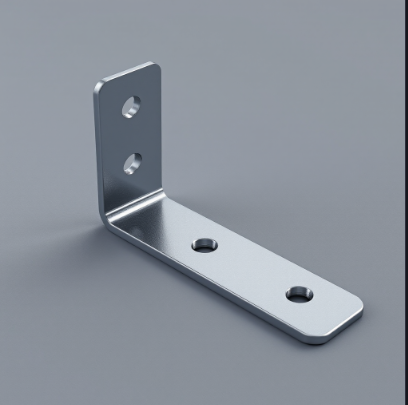
In the last round of CAD conferences, I heard that AI, specifically LLMs, is lousy at creating CAD shapes. It hallucinates. Shapes created by AI are not “watertight” and are not understood by CAD programs. CAD companies say, in effect, “We got this. We’ll give you the shapes you need with our geometry kernels. You can’t trust neural networks to make the shapes you need.”
CAD companies — as well as the AI skeptics among us — constantly remind us that LLMs are about words. We understand. We know LLM stands for large language model, and language is made up of words. We use LLMs for emails and for summarizing meetings, and we marvel at AI’s gift for language.
But I, too, am wary of using AI for legal or medical advice. I don’t trust it to make CAD drawings or models.
Should it not be that way, though? Shouldn’t we demand more help from AI in making CAD models?
We understand that CAD is based on 2D and 3D shapes, all of which are built with math. We did not have to create a sphere by keying in. Instead, we issued a command for a sphere and gave its size and location. The command may be entered on the command line, in a dialog box, a menu pick or with an icon. It could have been created with a macro or script. AutoCAD’s scripting language is AutoLISP. Onshape’s is FeatureScript. Every CAD program has a scripting language. Either way, we have used the language of CAD.
The Command Line
AutoCAD users have long used the command line to type commands, and to them, the CAD language is apparent. All CAD programs have a user interface with menus and toolbars with icons. Underneath all is the CAD language. It’s a real language, complete with nouns and verbs.
CAD languages have hundreds of words, but that is orders of magnitude less than any human language. AutoCAD help files list 350 commands. The Oxford English Dictionary lists 600,000 words. To be fair, only about a quarter of them are in use.
So, if LLMs can handle something as vast as the English language, how can it not handle the much smaller subset that is a CAD language?
Math is More Difficult
If math is to be considered a language, it is certainly a more difficult one to learn than a human language. For proof, consider the attrition rate among students in an engineering program compared with those in English literature or journalism. But even engineers tend to get flabby as their math muscles fall into disuse. Let’s blame Excel and all our software applications. Excel adds up whole columns of numbers. CAD does solid geometry. FEA does linear algebra. CFD solves for deflection without us having to remember differential equations.
The point is, we can let our trusted applications do the math. We’re not asking LLMs to do math. We know they may be learning fast, but they are still not reliable. LLMs don’t have calculators. They understand rules and processes, so they can use multiplication tables and do long division. But it still makes mistakes. Calculators never do. So we trust our calculators for doing math.
Stick to Language
Clearly, LLMs excel at language. So why aren’t all CAD companies racing to put LLMs’ innate ability to understand and use language into A) CAD user interfaces and B) the creation of precise, repeatable shapes?

Because the CAD shapes we are getting are not the CAD shapes we want. LLMs fail at making exact shapes, say CAD companies. Proof: text-to-CAD prompts yielding pathetic shapes, fantastic results or parts that manage to offend our sensibilities. For example, more than one text-to-CAD application has created gears that would not mesh.
It Can’t Be a Conspiracy, Right?
Could CAD companies want CAD to be difficult to learn to use? There may be no better way to create a die-hard advocate than to make them undergo rigorous, extended training.
“Once a Marine, always a Marine,” say USMC vets.
“You can pry it from my cold, dead hands,” say CAD vets.
Or is it because after making such a big investment in time and effort, CAD users are reluctant to do it all over again?
Indeed, CAD vendors benefit from the stickiness of CAD, from users who have survived basic training, thrived in a job that requires as much mastery of technology as does flying jet aircraft. They take pride in having learned it and teaching others and, truth be known, feeling superior to newbies, infrequent users and, perhaps the most pathetic of all, CAD media editors.
In today’s world, we have CAD that can make all the holes around a flange more or less automatically. Now imagine a world in which you could use any software application, not just CAD, just by asking it to do things even more sophisticated in your natural language, a world in which your request is translated into the language of the application. In such a world, you ask your CAD program to “Make a bracket,” and it just makes it. Because it understands our language, it knows what a bracket is. Or a motor.
Now let me dream. Of AI that understands the physical world, understands physics (mass and forces, at least). It understands that your motor is still floating in space and desperately needs a mounting bracket. It understands you are in the habit of using sheet metal and selects an appropriate gauge. Of course, it has access to standard gauge thicknesses. It understands that my industry favors rivets or welds. If screws are preferred, drill the mounting holes and drop in the screws, washers and nuts…
Did We Forget About Shape Recognition?
The future belongs to the CAD company that can recognize the geometry of CAD, simple arcs, lines, NURBs, whatever, as parts engineers are familiar with. Hey, CAD, please speak our language. Our language has flanges, brackets, standard shapes like round tubes, I-beams, screws, nuts…
Feature recognition predates part recognition. Solid Edge had feature recognition with Synchronous Technology. You could import a solid model and it would understand its features in a “dumb” solid model and make it smarter, i.e., add parameters so it could be easily modified. You can push and pull on a feature in an imported solid. A hole can be moved around a flange, for example. A face can be pushed or pulled to change its shape. Other solid modelers make this simple need harder or impossible.
The next step, after recognizing features, is for shape recognition to recognize parts. Shape recognition should be able to look for a shape in your library or CAD parts that is similar to what you want to make.
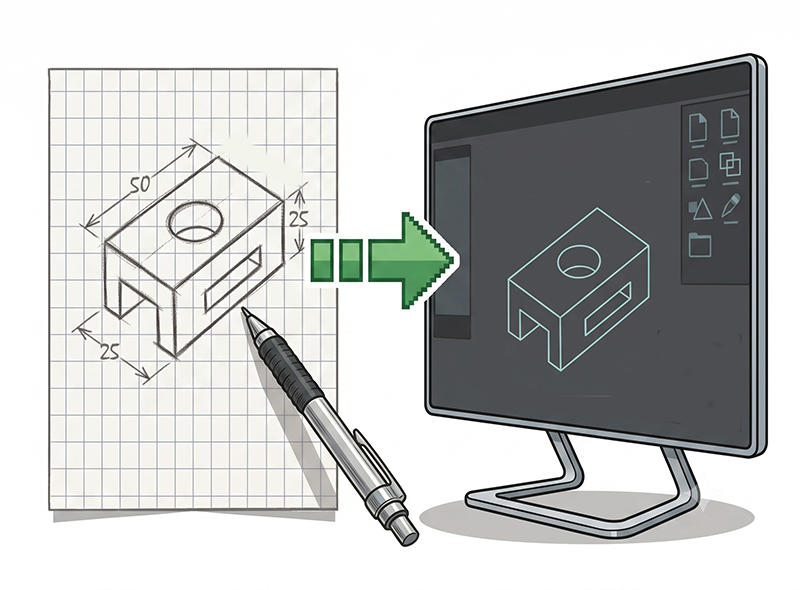
Let me dream. I dream of the CAD industry catching up with consumer technology. I can ask Amazon to find me a product by showing it a picture. Why can’t I ask CAD to “Make a model of this” and point my iPhone camera at it? Scanning QR codes with my iPhone is already commonplace. How about scanning parts? The dream continues. I can point my iPhone at a pencil-and-paper sketch I have just made.
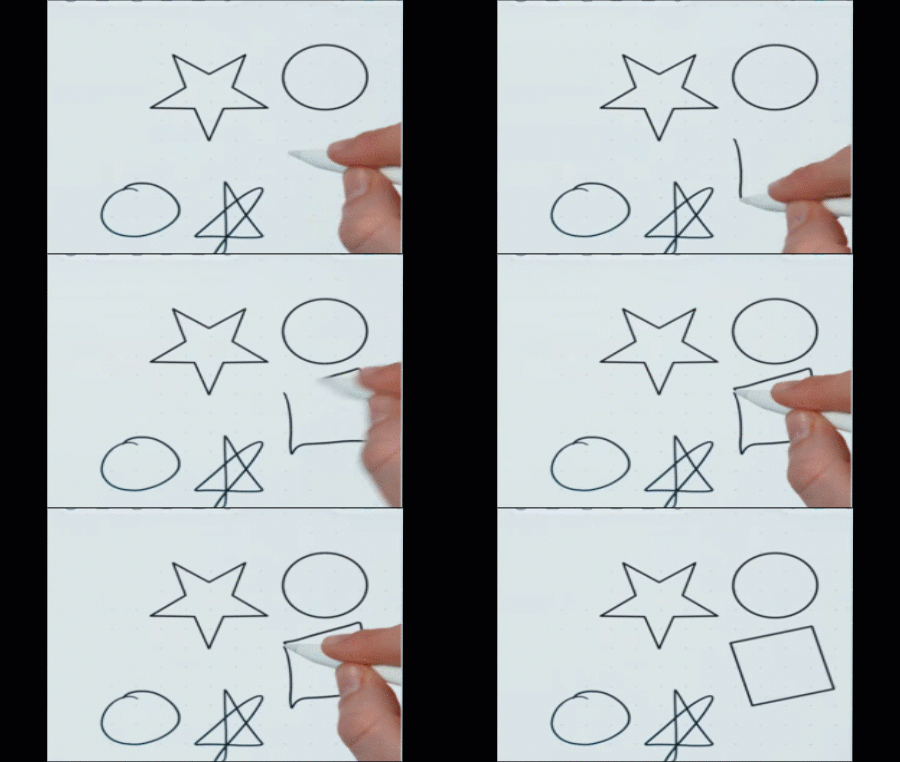
A dream is not pure fantasy. Apple has apps (Notes and Freeform) that convert handwritten script (created on an iPad with the Apple Pencil) into digital characters and words. It also works with numbers and can do calculations. Apple Notes can convert voice. When a consumer company can convert handwriting to words, is it too much to expect CAD to convert sketches? It will surprise CAD companies to know Apple has done this for years. Both Notes and Freeform allow you to sketch and can interpret hand-drawn circles as perfect circles, hand-drawn lines as lines, etc.
That Apple has been able to recognize shapes and numbers almost as an afterthought in apps intended for other purposes should be embarrassing for companies for which shapes are of primary importance and whose users prefer to turn their ideas into sketches.
“Pen and paper is the fastest way to get a lot of ideas out of my head,” says Anthony Frausto-Robledo, practicing architect and creator of Architosh.
Tag. You’re IT
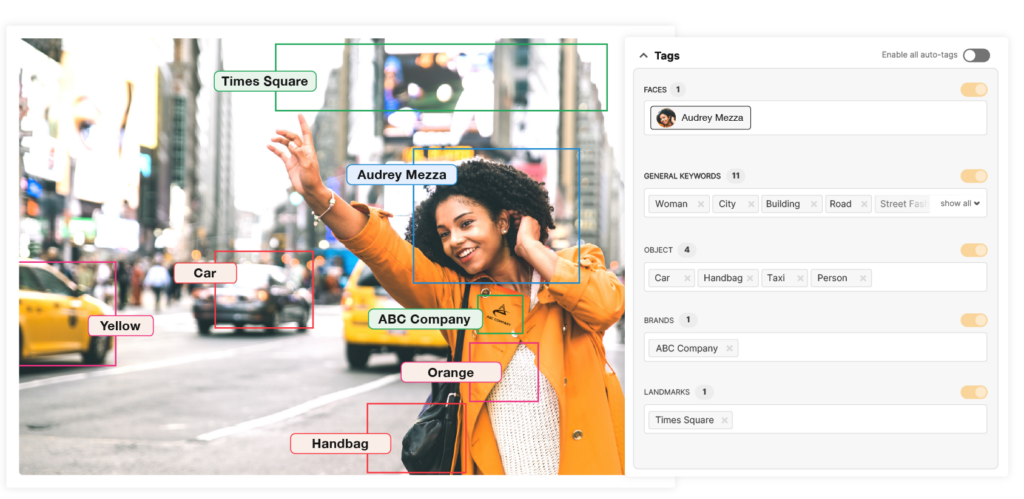
Shape recognition works in several ways. It can store multiple views of an object, such as rotations about each axis in 10-degree increments, and store the images. Then, an object in an arbitrary orientation has a good chance of matching one of those images.
More common is attaching data to a part’s model. This is called metadata in CAD. It is also known as “tagging” or “annotation” in AI. It is a surprisingly laborious process for an industry so computerized. Tens of thousands of humans look at images and assign to them words or phrases. Autonomous vehicle systems rely on tagging. It relies on shapes in a video being tagged as “human walking in front of you,” for example. Tagging is AI’s untold story, one that employs humans at huge scale in poor countries, notably Kenya and India.
Though reports have focused on the exploitation of the poor masses by US big tech companies (Meta, OpenAI…), it may be a matter of time before CAD companies head to tagging centers, followed by manufacturing companies eager to tag all their parts.
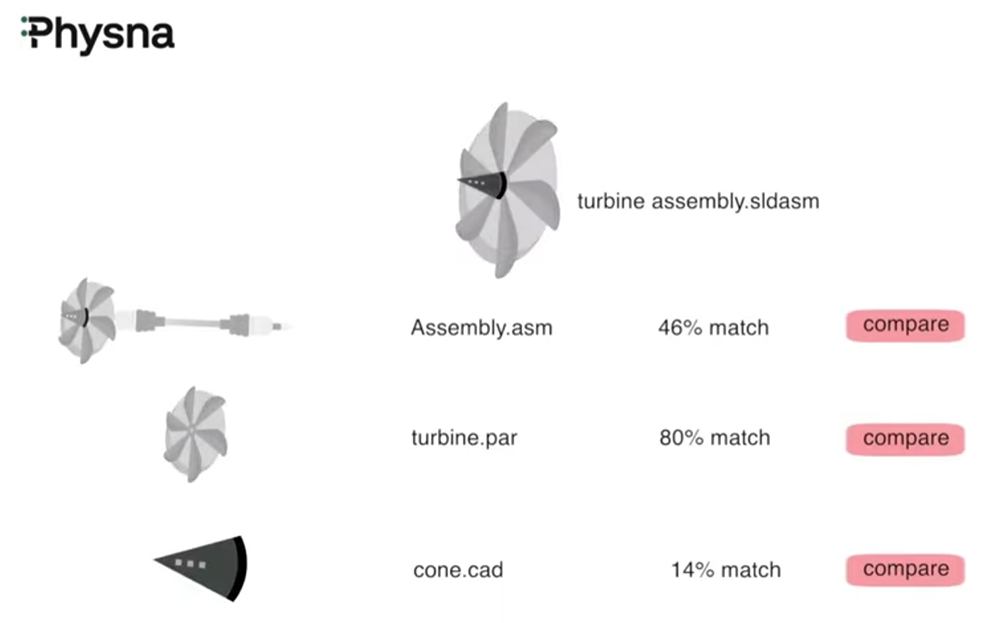
Physna considers it to be a better approach. With its proprietary technology that determines the “DNA” of a shape, Physna has been helping manufacturers find their own parts for years.
I expect a CAD company will “discover” Physna before too long, and either by licensing or acquisition put their brilliant technology into play. Only then can we be assured of a design autocomplete that can guess at the shape you are trying to make or suggest a pre-existing part, or, by request: “Hey, AI, find me a part that looks like this.”
I expect Autodesk will try to recreate it. That seems to be the company’s MO.
Dream On
But should CAD be able to understand the language we speak and the parts we make, in the customs of our companies and in the context of our industries? Imagine the future with truly useful AI.
AI that understands the language of engineers could go a long way towards CAD delivering on its promise of computer-aided design, an intelligent assistant rather than only a geometry kernel, each with its own arcane user interface.
