

LIMASSOL, Cyprus, Apr 20, 2026 – ENCY Software has released ENCY CAD/CAM system and ENCY Robot version 2.8, increasing toolpath calculation speed and refining background verification and simulation behavior. The release also introduces usability and stability changes for machining and robotic workflows.
Background Simulation During Toolpath Calculation
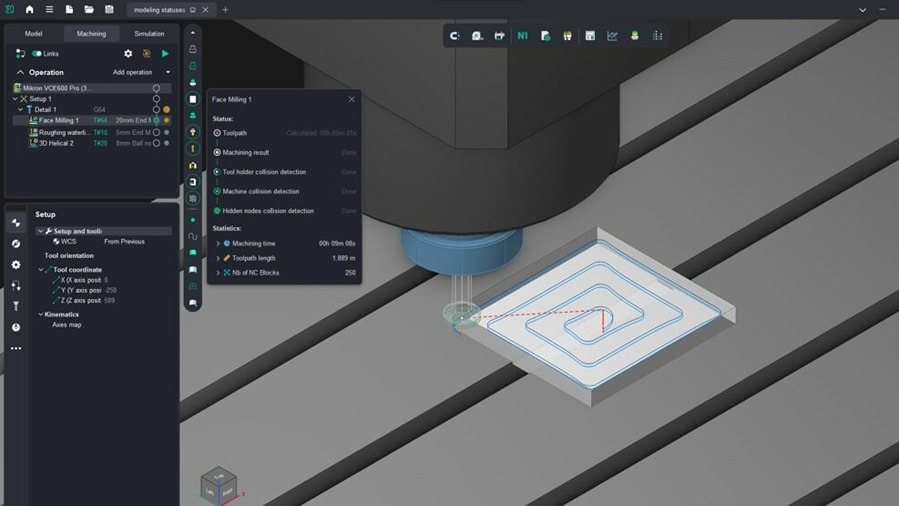
ENCY calculates the machining result and runs checks during toolpath calculation. In version 2.8, users can configure these processes more flexibly through system settings. The update allows separate control of machining result calculation and the level of checks performed at the toolpath stage.
In ENCY 2.8 and ENCY Robot 2.8, background simulation is disabled and the system calculates only the toolpath from the 3D model. The machining result can then be reviewed later in Simulation mode. This approach suits simpler projects that do not include fine-step finishing operations.
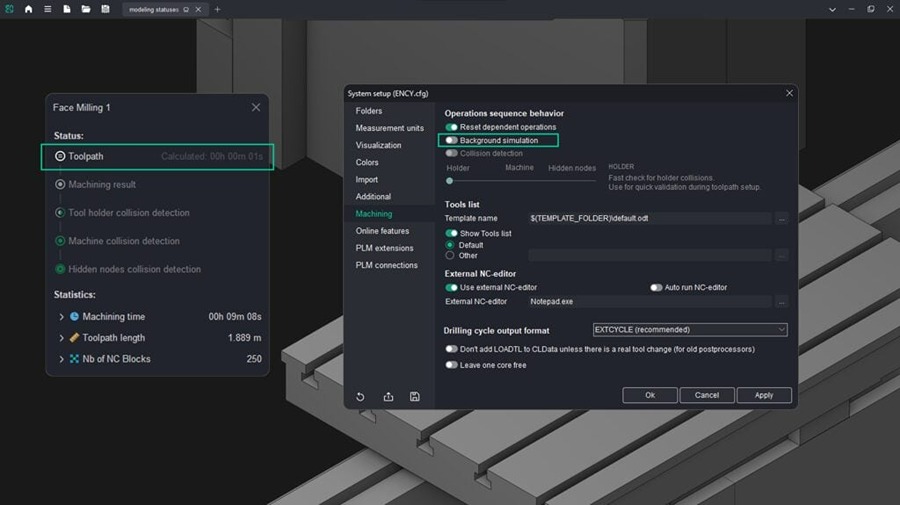
For operations that depend on previous machining steps, ENCY calculates intermediate results automatically. This applies to waterline roughing, plane roughing, pocketing, hole machining, and lathe machining. For example, waterline roughing may include the result of face milling, while 3D helical operations do not require prior results.
When background machining simulation is enabled, the machining result is available after toolpath calculation. This allows users to review the workpiece state without entering Simulation mode, which can be useful in projects without fine-step finishing operations. In this configuration, collision detection may be disabled.
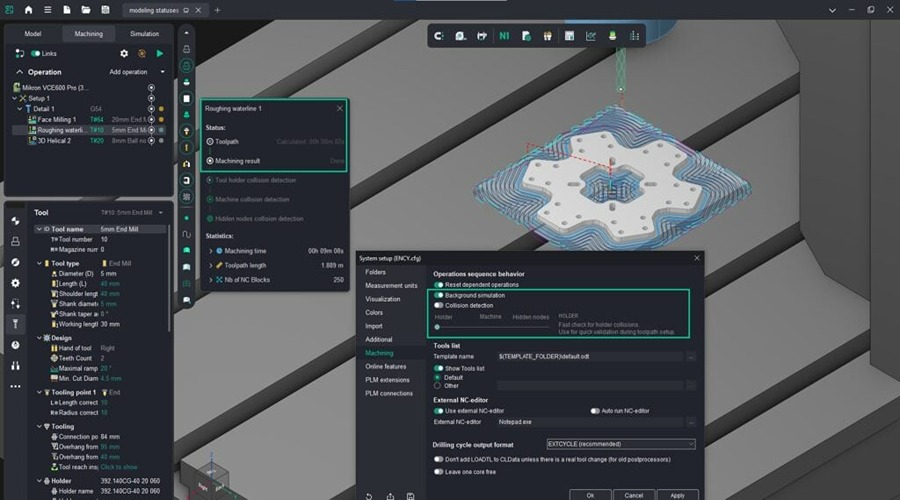
The system also allows users to select the level of collision detection, including holder-only checks for faster calculation, holder and machine scenarios, or full control of all machine nodes. New operation status indicators show how each toolpath has been verified. These controls allow users to manage calculation time, reducing unnecessary checks in complex projects while maintaining immediate feedback in simpler workflows.
Machining Simulation in the Simulation Mode
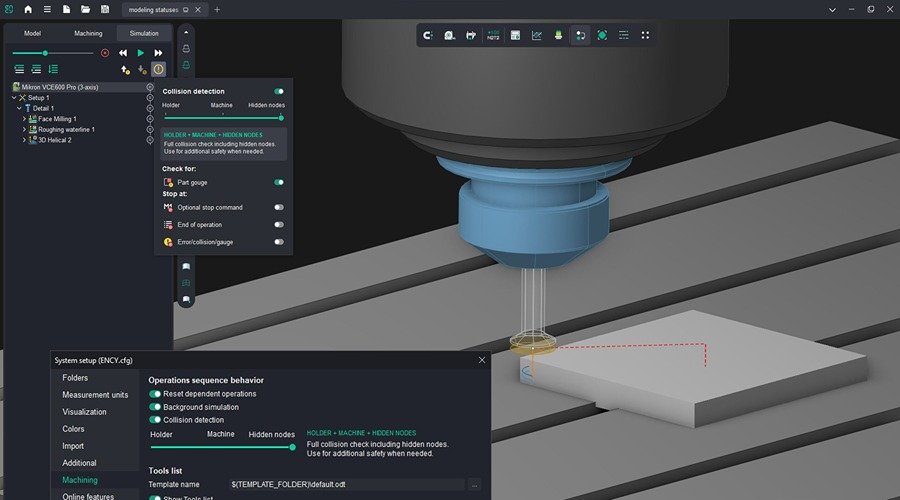
ENCY Software has updated simulation mode, refining collision detection controls and verification workflows. Collision settings now appear in a separate pop-up window when users hover over the indicator icon. The system enforces a minimum detection level in simulation mode based on the level defined for background simulation, so users cannot select a lower setting. If background collision detection is disabled or only partially enabled, simulation mode still allows users to choose the required verification level and run machining simulation independently.
The update also removes the need to run a full step-by-step simulation to review machining results or check toolpaths for collisions. Users can select a verification level and use fast simulation buttons to run checks for a specific operation or for the full machining process. This approach reduces calculation time and targets operations needing review while preserving verification control.
Bar Pull During Part-Off with Takeover
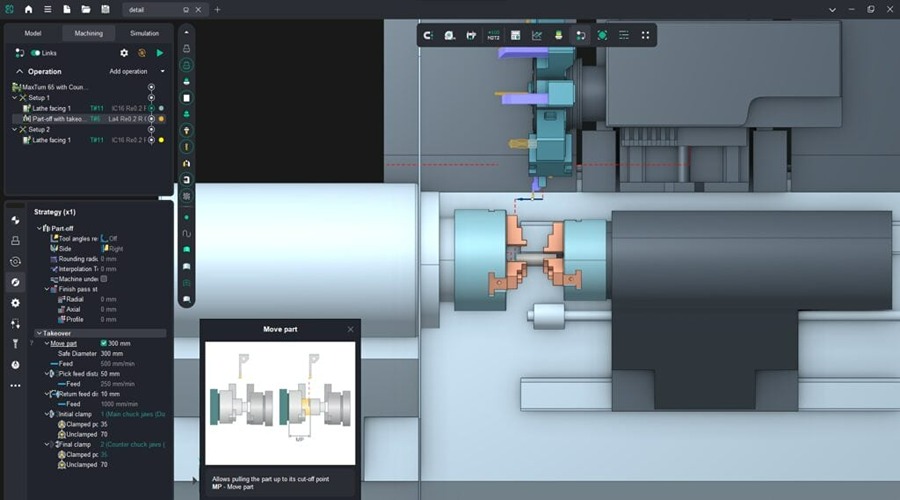
It is now possible to control both the pulling length and the clamping depth. The operation’s CLData can define a sequence of motions in the NC program:
- turret indexing
- approach to the plunge position along the Z axis
- counter spindle approach
- picking and pulling the workpiece
- approach to the plunge position along the X axis
- part-off
- retraction of the tool and the counter spindle
New Algorithm for Rotary Machining Calculation
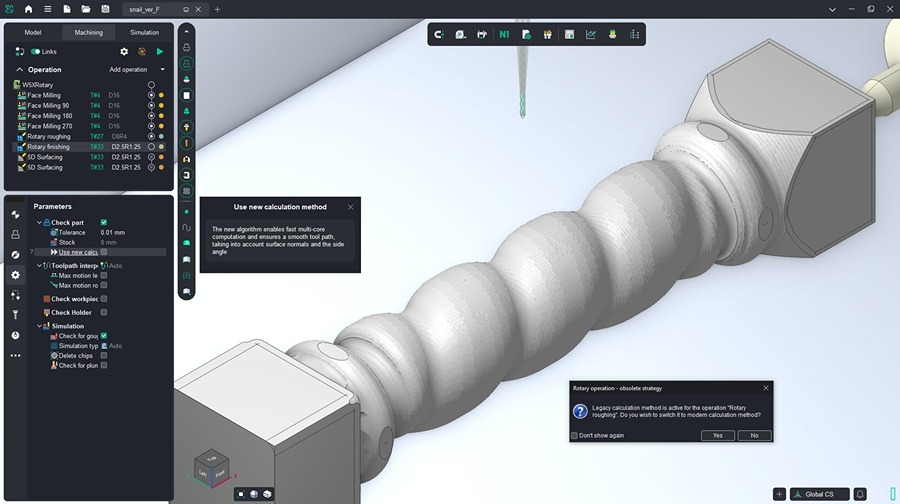
ENCY Software has revised the calculation algorithm for rotary machining operations. These operations now run as multithreaded tasks, using all available processor cores and reducing execution time by up to 10 times.
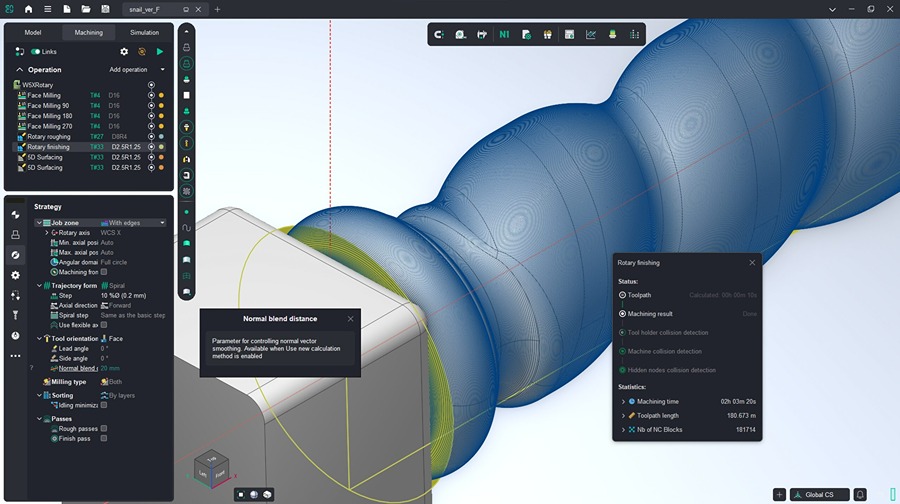
The update also adjusts toolpath generation when working with normals and lateral angle. A new normal smoothing distance parameter lets users control the smoothing level during calculation.
Usability improvements
The release includes updated parameter guidance for operations, revised icons in the operation creation window, and changes to the 3D model display with a metallic effect. It also updates the 3D model import algorithm and modifies the support request window accessed from the NC program generation interface.
ENCY 2.8 also reduces startup time by adjusting active calculation and checking parameters. The update also modifies selection behavior for 3D model elements and adds new commands for manufacturer-supplied interpreters:
- Heidenhain_ITNC530: CYCL DEF 267, 267, 252
- Sinumerik840D_TurnMill: POCKET4, SubPrograms
- Sinumerik840D_Mill: Cycle90
What was Fixed
The release includes more than 160 fixes addressing calculation stability and accuracy. The update resolves crashes and freezes during simulation, incorrect toolpath calculation, and issues with projects, project loading and saving, machine kinematics, equipment settings, and false collision detection. It also corrects interface issues related to scaling, element display, and window behavior, along with updates to sketches, construction tools, operation parameters, and geometry import.
Users with an active software maintenance contract can update to ENCY 2.8 following release notifications.
Source: ENCY
About ENCY

ENCY Software Ltd., headquartered in Limassol, Cyprus, offers a CAD/CAM/OLP software ecosystem aimed at enhancing engineering and manufacturing workflows. Their ENCY X platform provides tools such as ENCY for CAD/CAM operations, ENCY Robot for offline robot programming, ENCY Tuner for NC-code simulation, and ENCY Clouds for cloud-based workspaces. The solutions serve industries including architecture, automotive, aerospace, consumer products, education, electronics, energy, entertainment, industrial machinery, medical, shipbuilding, and woodworking.
