

Onshape has a Lab. Darren Henry, PTC’s SVP of general operations, joins us on a podcast, along with Cody Armstrong, Onshape’s senior director of AI Innovation, to tell us what’s in the Lab. We expect it to be a short call. Onshape Labs has less than a handful of products.
But one of them, not even available yet, will steal the show: FeatureScript MCP Server.
What’s In the Lab?
The naming of Onshape Labs took some internal debate because of all the Labs that preceded it, not all of them alive to this day.
Google Labs is the best known of the Labs and may have started the whole Lab concept in 2002 with “a playground where our more adventurous users can play around with prototypes of some of our wild and crazy ideas.” Gmail and Google Calendar passed through Labs before “graduating,” i.e., being released as products. Google shut down its Labs in July 2011, folding what was left into the main products if worthy, only to revive the Labs name in 2021 for AR and VR skunkworks projects and again in 2024 for Search Labs and its AI pre-betas.
Autodesk followed with Autodesk Labs around 2006 as a “public technology-preview” program — “free, open to the public, no NDA required, feedback intensive,” a more accessible preview of technology than beta testing, which was by invitation only.
Autodesk Labs thrived under the leadership of the personable Brian Mathews and lasted for about 10 years.
Microsoft got into Labs with Office Labs, then founded Microsoft Garage in 2009, which spawned Excel Labs.
What’s In Store
Here is what is listed on Onshape Labs as of the launch.
FeatureScript MCP Server — “available soon.” Much more on this below as this may be the single most consequential product in the Lab.
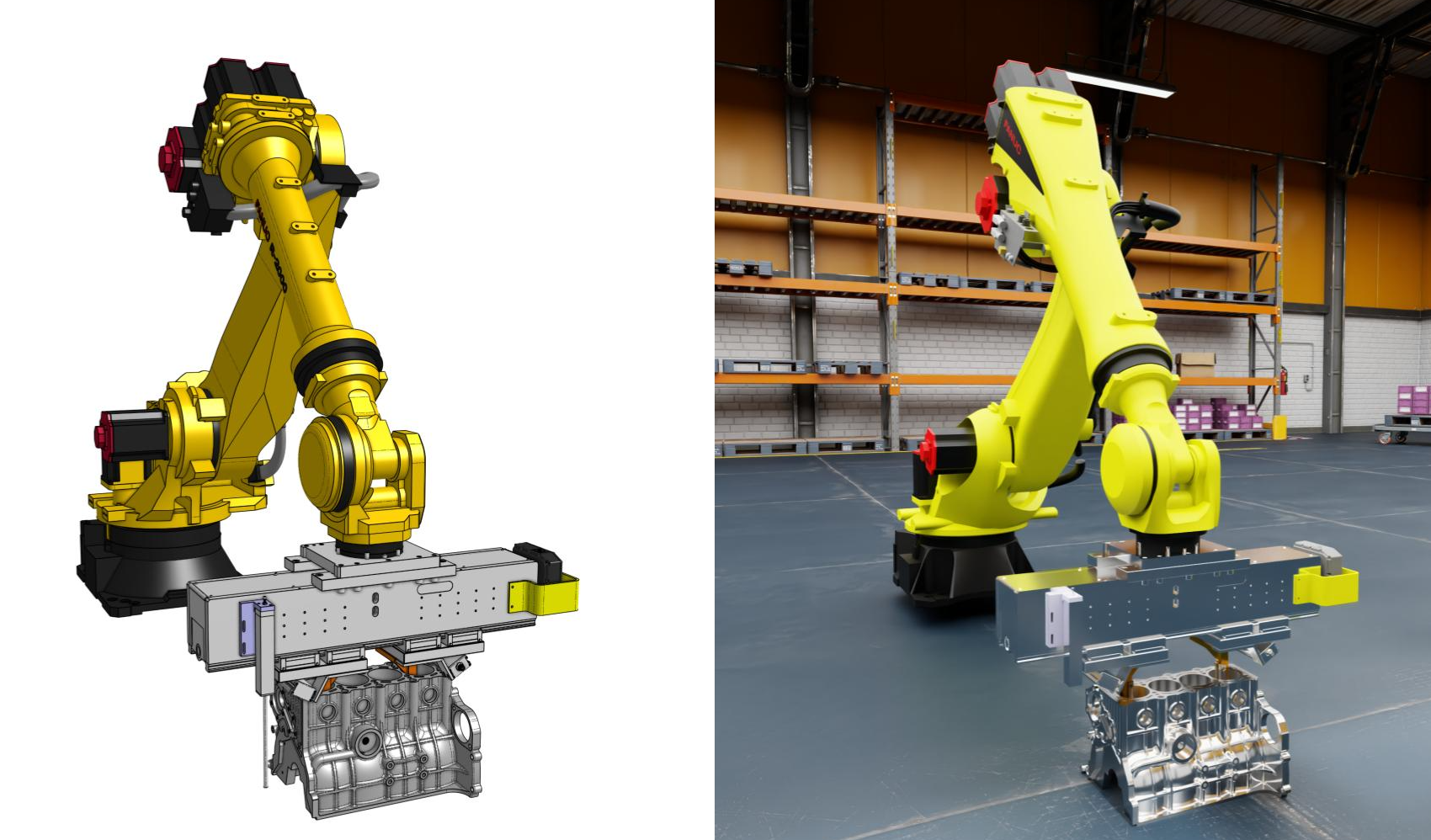
AI Quick Render — turns whatever’s in your viewport (parts, assemblies, sketches) into a photorealistic render in a side panel, with the rendering happening on Onshape’s own servers so your geometry doesn’t have to leave the building.
NVIDIA Omniverse Publisher — connects Onshape directly to Omniverse, notably Isaac Sim, for robotics teams.
Onshape AI Advisor — a copilot that sits in a side panel, as is the current fashion. It can tell you how to do something in case you ask something like “how do I create that extrusion,” but it can’t do it for you. The good news, per PTC, is that it only draws on Onshape’s own documentation, help files, and tutorials, so you can trust what it tells you. The bad news: It draws only on Onshape’s documentation. It ignores the wealth of information available on the Internet. Honestly, guys, when I want to know how to do something, I check on YouTube. YouTube is often the first thing Claude lists as a source. That’s okay, I get it. Information inside your walled gardens may not be as plentiful or diverse, but who knows a product better than the company that created it?
AI Agents — “coming soon.” AI agents are the talk of the town these days. I expect they will soon be replicating faster than Agent Smiths in The Matrix Reloaded. They are already doing things like running your inbox and telling you which calendar item actually matters, such as the dentist appointment in 15 minutes — exactly how long it would take to get there. I wish.
Drawing Checker — also coming soon- will catch your drawing errors before you are embarrassed by them on the shop floor.
Worth the Price of Admission: FeatureScript MCP Server
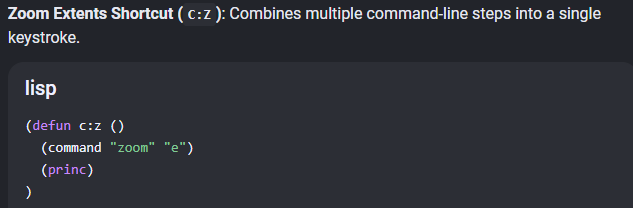
AutoCAD and Onshape both have scripting languages. AutoCAD has AutoLISP. Onshape has FeatureScript. SolidWorks, Creo, NX and Solid Edge have Pro/TOOLKIT; NX, SolidWorks and CATIA don’t offer a scripting language per se, but offer a window of control with an API (application programming interface) that can be accessed with a programming language like C++. That’s nice, but does that mean I have to be a programmer?
Scripting languages, on the other hand, while still a language, are built on actual CAD commands, so they are somewhat more accessible to CAD users.
Onshape’s scripting language, FeatureScript, is arguably the most complete scripting language in terms of how much of the program it can control. Onshape’s founders decided early on that Onshape’s own internal developers would build the product’s functions using FeatureScript rather than a conventional high-level language, like C++, putting the same tools into normal users’ hands as the development team has.
Most engineers do little programming. I had one programming class in college (FORTRAN) and in the early days of the PC, entertained myself with BASIC. I wrote a program for compounding interest, then found Lotus, a spreadsheet, could do that and a whole lot more. From then on, it was as if there was software for every purpose. Was there any need for my amateurish programming?
Enter FeatureScript
FeatureScript, Onshape’s scripting language, is far more accessible than a structured, high-level, compiled language a professional developer would use, such as C++. It is included in Onshape, and as stated earlier, completely capable of adding any functionality that an off-the-shelf program does not have.
Still, it requires you to program, which is a barrier to entry for most of its users. The FeatureScript MCP Server is Onshape’s attempt to overcome that barrier.
The Onshape FeatureScript MCP Server is purpose-built for creating FeatureScript from simple queries in English. You don’t have to learn FeatureScripting language. The MCP Server will not only generate FeatureScript code, but it will test and evaluate it, debug and improve it in iterative loops. The result: a fully-formed error-free FeatureScript ready to do your bidding.
How Does it Work?
The FeatureScript MCP Server works by using AI, as you do with Claude, ChatGPT or other LLMs.
MCP, incidentally, stands for Model Context Protocol. Anthropic, the company behind Claude, came up with the MCP concept and put it out there for all to use, an open industry standard, meaning any LLM, not just Claude, can use it.
The “model” in “model context protocol” is any software program, database or file system, not strictly a model in the CAD sense, such as a parametric model.
To use MCP, a CAD vendor needs to reveal its API or scripting language (FeatureScript, in this case) with a “server” that describes each tool, its functions and what inputs it needs using JSON (JavaScript Object Notation) annotation.
JSON is a structured programming language used for representing data and has been widely used for twenty years by Web developers. Any AI (Claude, Gemini, ChatGPT, et al) or human programmer can read it because it’s just simple text, not machine code.
The MCP server exposes a tool, then describes it in English inside a JSON structure. The LLM reads that description as it would a spec sheet and decides to call it, and in the process, fills out that call’s arguments; it writes its best guess of a FeatureScript as a text string inside the JSON payload, which is sent to the CAD program via the MCP Server to execute. If it works, great. If it doesn’t work, it tries again.
JSON input and output, as created by the MCP Server, saves each CAD vendor from having to invent its own format understandable to LLMs.
The result is a FeatureScript tool that can create CAD models from then on, without the need for more prompting of an LLM.
“The resulting feature does not require an LLM. The LLM is only used to generate the feature, and then you can share that custom feature with everyone in your organization,” says Darren. “There’s no cost, no LLM cost associated with running it.
“You pay the token bill once, to build the tool, and then it runs for free forever.”
In other words, no more tokens are used.
Tokens?
Rare is the mention of tokens, event though tokens are the very currency of AI.
Tokens might as well be a foreign currency for most AI users. Most users of LLMs have no idea of the tokens they are using until they are asked to switch to a higher payment plan. Even then, tokens may not enter the conversation. For example, I switched from ChatGPT’s free to $20/month plan. The subject of tokens never came up.
But industrial-size use of LLMs, such as a developer using Claude for coding all day long, will no doubt have to come to a reckoning with tokens.
Live Demos
Darren went on to make a custom feature using the FeatureScript MCP Server — in real time. The typed conversation went something like this:
Darren: Make a custom feature in Onshape that is a flange bushing, standard sizes.
Claude: Metric or SAE?
Darren: Let’s do both.
Claude proceeds in steps, fetching reference data from the web, with permission prompts and creates an editable flange bushing.
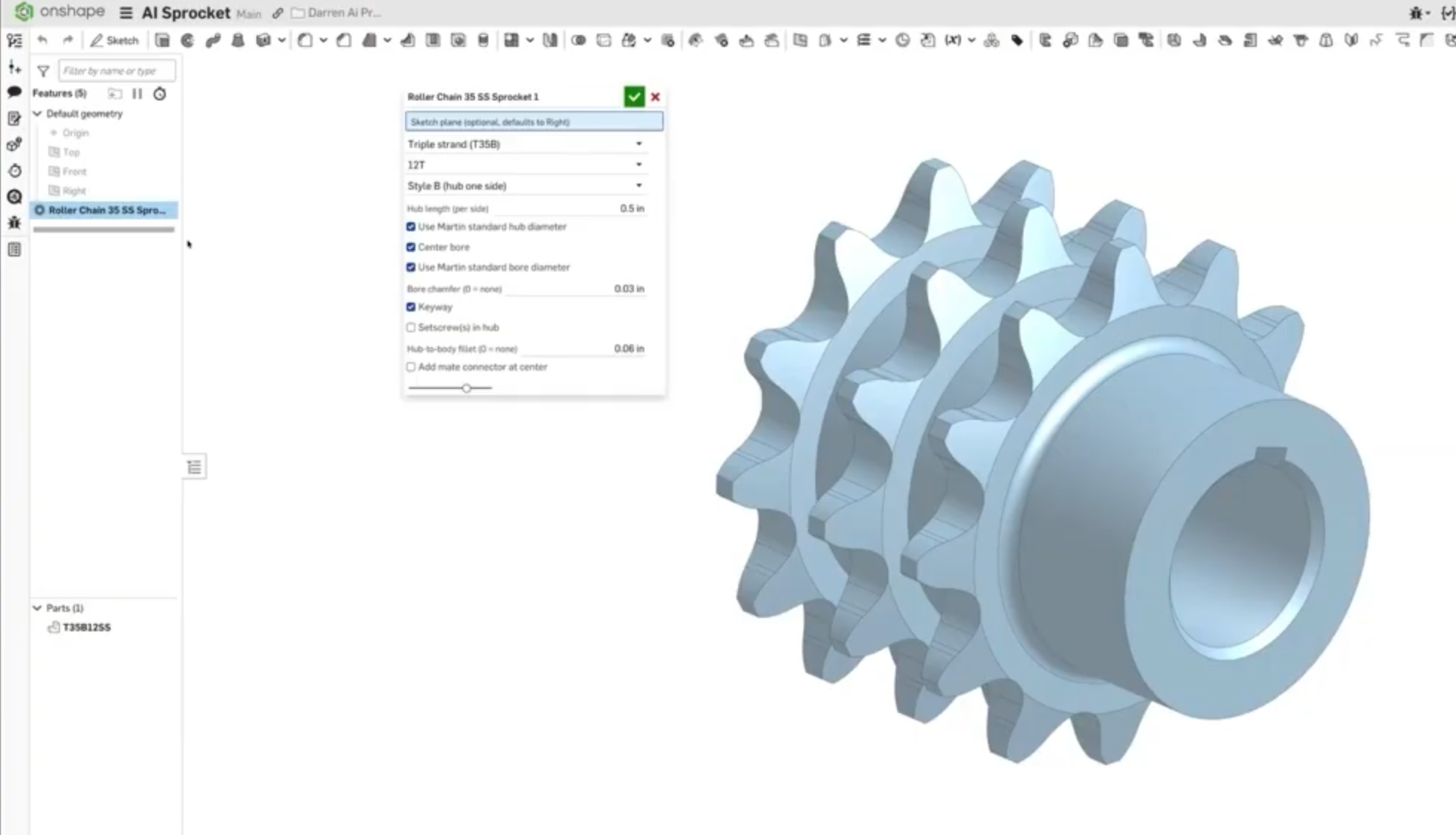
Then came a repeat of what Darren had shown at PTC NEXT, their revived annual user conference: a roller chain sprocket, built with over 700 lines of code, all neatly presented and properly documented. The sprocket was a fully parametric model. You could ask for any number of teeth from 12 to 18, single or double sprocket, with or without set screw or keyway…
Not Text-to-CAD
“We didn’t do text to CAD just now,” Darren says. “We did text to code to CAD and this is what the LLM was able to generate using the Onshape Labs FeatureScript MCP.”
The point is, text-to-code-to-CAD alone make the CAD geometry we want: precise. Parasolid. Parametric. It is not text-to-CAD, which makes geometry we can’t use: meshes and dreamy shape. No amount of cajoling of a text-to-CAD program, all based on LLMs, will result in having it make exactly the shape you intended. You will most likely give up in frustration.
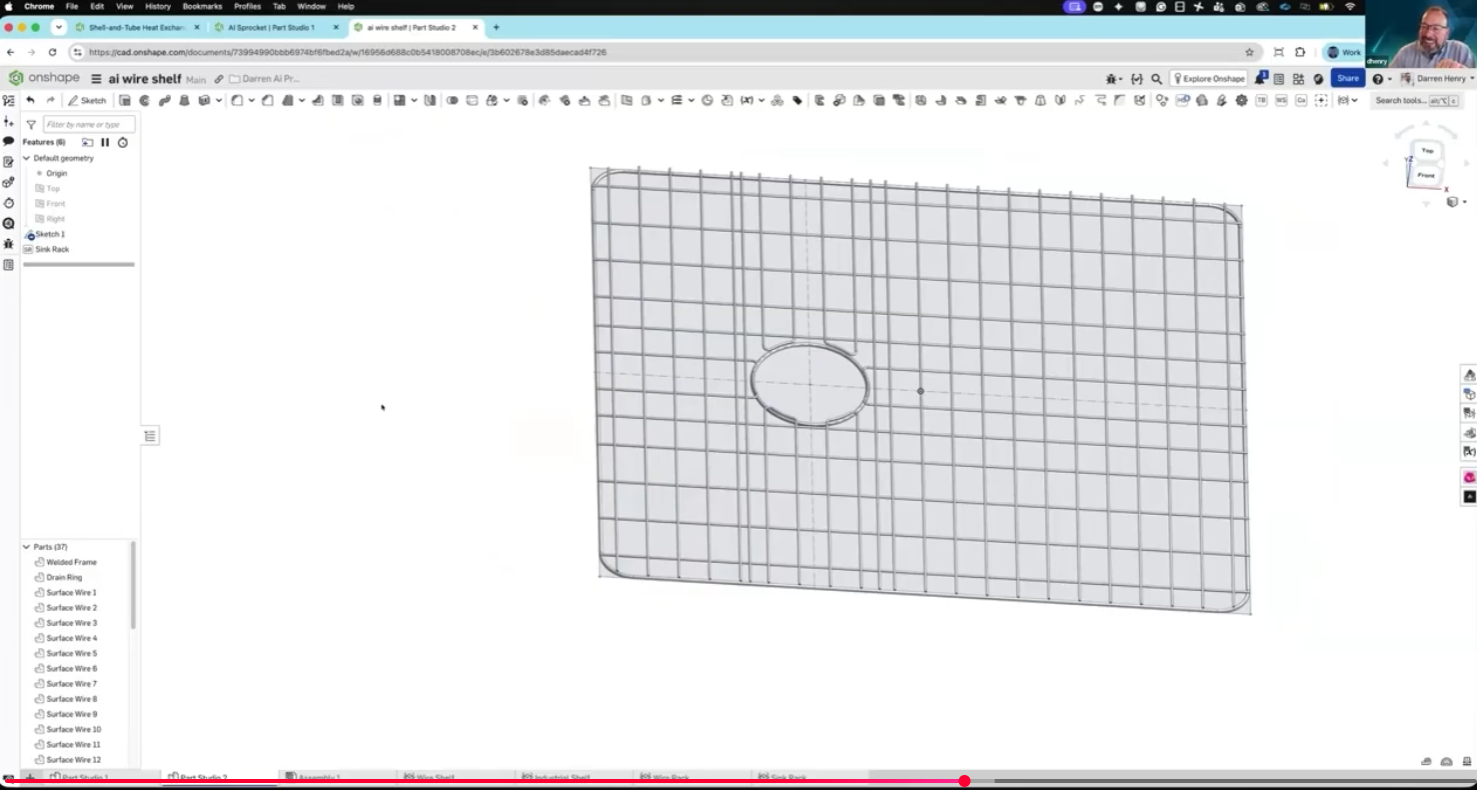
Take that text-to-CAD! PTC’s FeatureScript MCP Server is text-to-code-to-model that creates a fully parametric, editable Parasolid-based model.Next, a wire grill such as one would put at the bottom of a kitchen sink. The MCP creates a FeatureScript model of the whole grill. Because it is a real Onshape assembly, based on sketches, you can move the sketch geometry and the wire layout changes on the fly.
Suppose another sink has the drain hole somewhere else. You simply move the circle representing the drain hole, and the wires automatically rearrange themselves accordingly in real time. You don’t have to enter another query to the LLM, use any tokens. It’s all handled by the FeatureScript tool the FeatureScript MCP Server just made for you.
“Somewhere there’s an engineer that has to lay out wire shelves, wire racks,” says Darren. “That engineer can now prompt it with Claude and builds a tool using the MCP Server, passes it on to his entire company, and now every engineer and designer can make wire shelves quickly. I would guess that to get the cut list and do this correctly, you’re looking at hours of design work. I did about an hour of prompting and made a tool that will save hours each time it is used.”
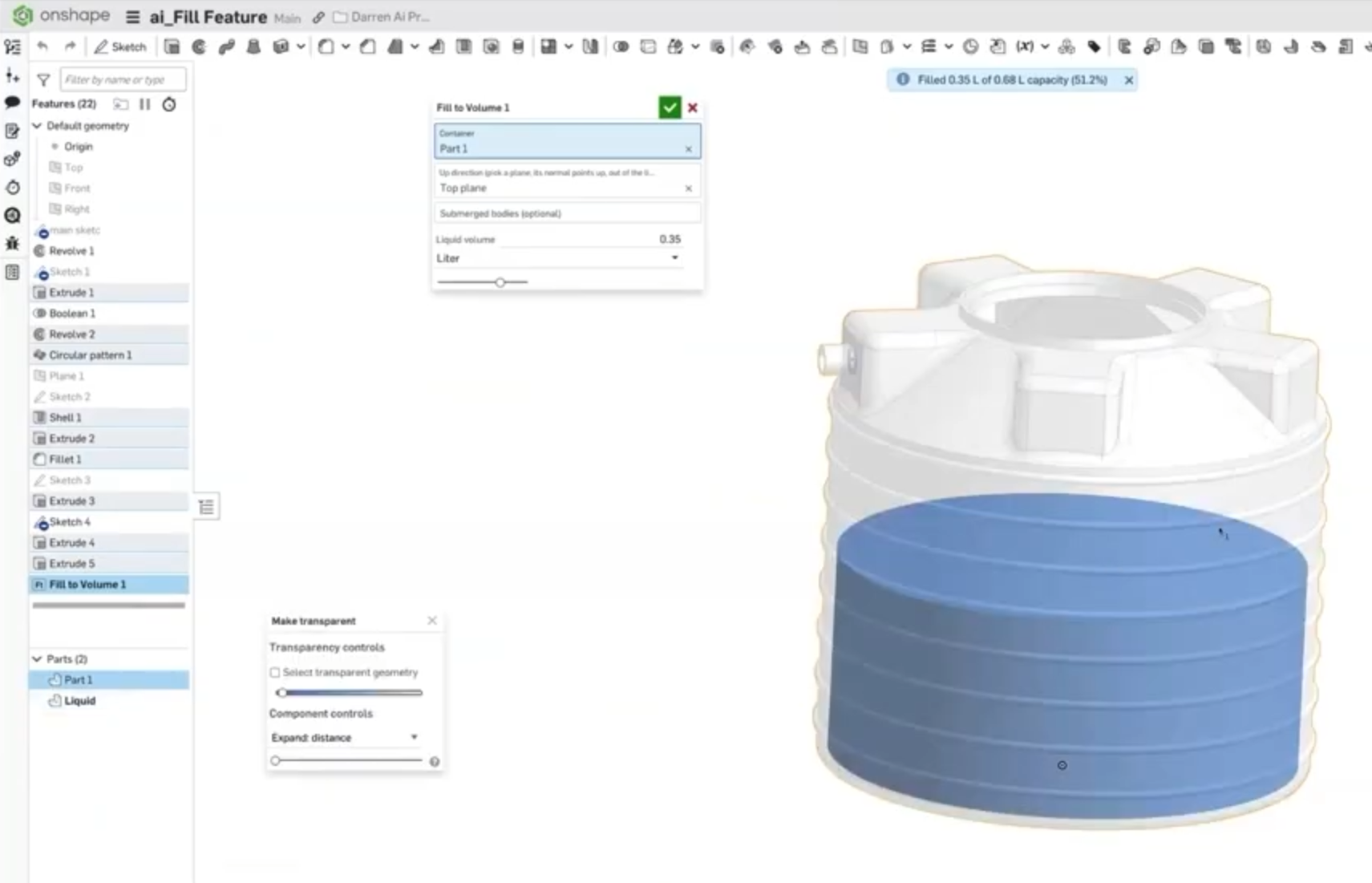
Darren shows another FeatureScript feature that calculates the volume of the fluid as it fills; it is smart enough to know when the tank has a hole in the side.
How else might this FeatureScript feature be used?
Suppose you are in a medical device company that needs graduation marks and the internal volume is not a perfect prismatic shape throughout.
Feature Envy No More
Function comparison is one way to criticize a CAD program. Darren admits Onshape may lack some exotic functions found in other CAD programs. But one function is not all that exotic: a corner chamfer. Onshape can only chamfer edges.
Suppose you wanted just to knock off a corner? You were able to do it with another CAD program and you miss it. Onshape doesn’t have it.
“But 18 minutes with Claude where I asked it to build it from a picture and now I have a Corner Chamfer feature. I can pick any vertex. A complex surface? No worries.”
He goes about knocking off corner after corner.
“The days of function comparison in CAD wars are over because if it doesn’t exist with us, you just type into Claude, ChatGPT, Copilot… It’ll program it for you with FeatureScript MCP.”
“And just one more thing,” says Darren. “This is just for fun.”
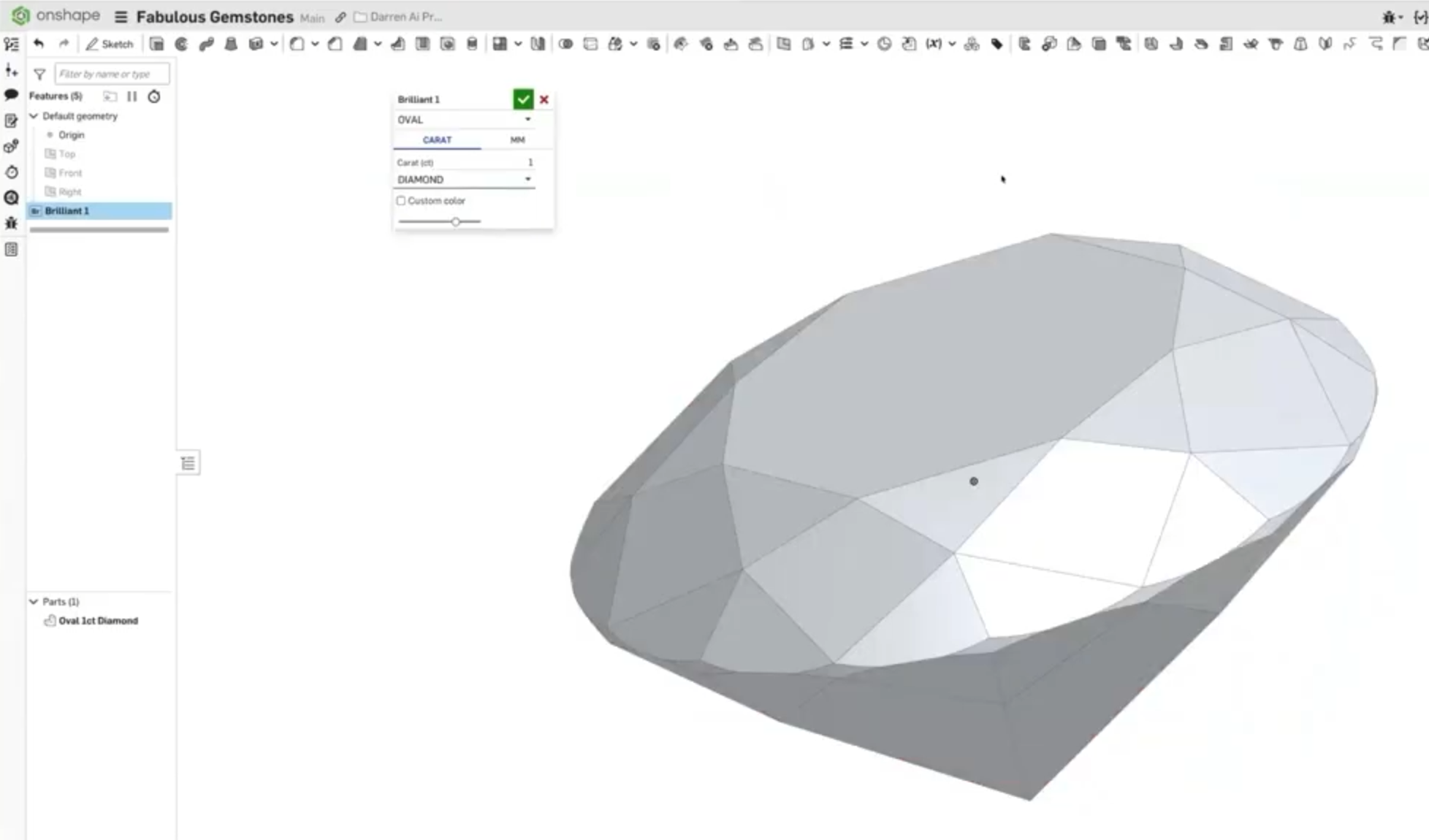
Darren shows his FeatureScript for a faceted gemstone generator (shown at top of article). This one took about 4 hours of prompting, but in the end, he had a tool that would create shapes for a cushion-cut and a brilliant-cut diamond. Not a gem designer, he had to do a bit of research and learned some new terms like “keel length.”
We couldn’t let Darren or Cody go before we asked…
How Much?
Darren says all he showed me took maybe a thousand tokens.
Onshape has enterprise-wide licensing for Claude, but Darren estimates most users could make do with Claude’s $ 17-a-month plan.
A CAD manager in charge of creating tools for their department may need more tokens and require a higher usage plan, which runs into hundreds of dollars per month.
