

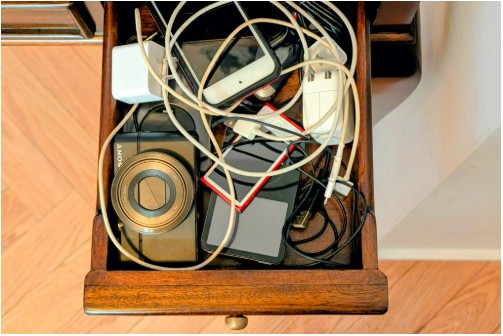
Digital music players and compact cameras may have been displaced by smartphones, but millions still sit in drawers, holding files that matter. The New York Times article argues that these devices deserve one last look, not for nostalgia, but to recover data, reuse useful hardware, or pass it on responsibly.
The first step is connecting old gadgets to a modern computer. Most early devices rely on USB cables, and the earliest iPods used FireWire. Replacement cables are widely available, but users must match the connector type carefully, since Apple alone cycled through multiple standards over two decades. Because many new laptops offer only USB-C ports, a hub or adapter is often required. The article also warns against fake FireWire-to-USB converters, which do not work.
Recovering music from iPods requires special care. Apple designed the device to transfer files in one direction, from computer to player. If the original computer is gone, the iPod may hold the only surviving copies of ripped CDs and personal recordings. Users are advised to disable automatic syncing in Apple Music, iTunes, or Finder to avoid erasing the device. Third-party tools such as iMazing or TouchCopy can extract music, playlists, and videos safely.
Other MP3 players are usually easier, functioning like external hard drives that allow simple drag-and-drop transfers. Older Sony players often rely on Windows Media Player, with instructions still available online.
Digital cameras follow a similar logic. If photos appear on the camera, they can be copied through a cable or directly from the memory card using a laptop slot or an inexpensive adapter.
After backing up recovered files to cloud storage or an external drive, owners can recycle, sell, repair, or donate the device. Repair guides from iFixit make restoration realistic, while passing old tech to younger users gives obsolete hardware a second life and a creative purpose.
