

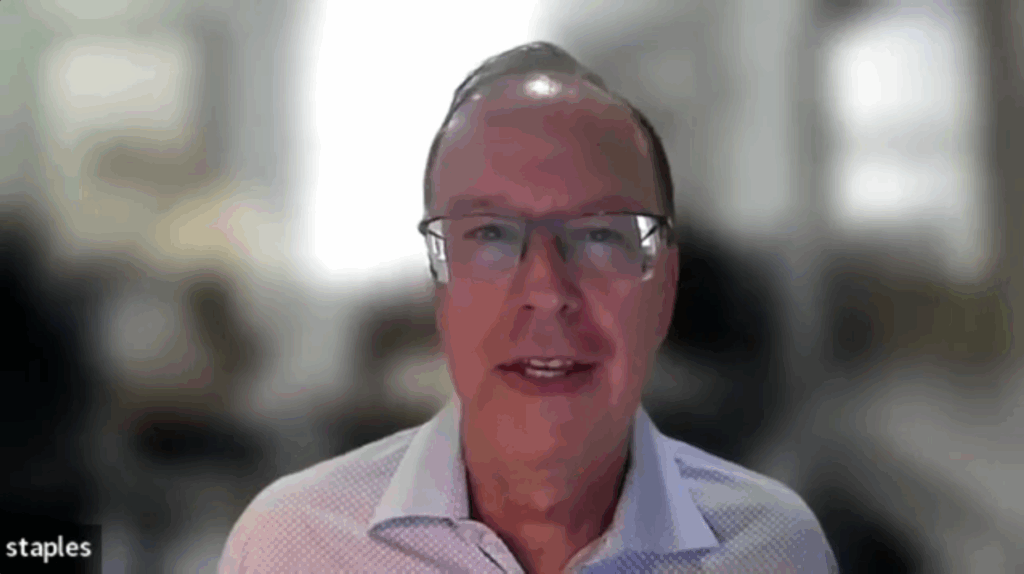
The following is a cleaned-up version of the transcript of the video shown above.
Roopinder: Dan, this is Solid Edge 2026. How many versions have there been now?
Dan Staples: That’s a good question. We’ve changed our branding from time to time, so it’s hard to keep track. Next April will mark the 30th anniversary of shipping Solid Edge. We shipped twice a year for a while, skipped a couple of versions, and even doubled up once or twice. We’re at around 30-35 releases.
Roopinder: That’s a lot. And I think you’ve been around for most—if not all—of them.
Dan: Pretty much. I joined Intergraph over 40 years ago—this is my 42nd year.
Roopinder: I’ve always associated you with Solid Edge. I call you the “father of Solid Edge.”
Dan: I don’t know if that’s entirely accurate, but it makes me smile. I’ve had a great team.
Roopinder: Let’s talk about Solid Edge 2026. What are the biggest new features or improvements? There’s probably something about AI.
Dan: You don’t have to guess—AI is the headline feature. Over the years, we’ve seen many technologies come and go, but AI isn’t one of those hype cycles. It’s real, it’s here to stay, and we all use it daily. I don’t even Google things anymore—I ask AI, and the answers are better.
We’ve invested heavily in AI, both at Siemens and within Solid Edge. There are three major AI-driven features in Solid Edge 2026: Intelligent Assembly (or Magnetic Snap), the Conversational Assistant (Co-Pilot), and Automatic Drawing Generation.
Roopinder: Let’s start with Intelligent Assembly.
Dan: Sure. Think about how humans naturally know how parts go together. Give a designer two components and they’ll figure it out quickly. We’re teaching AI to do the same thing. When you bring two parts close together, Solid Edge 2026 automatically snaps them into place. It still creates the same mates and constraints under the hood, but it automatically figures out how they fit.
Roopinder: That’s what I’ve always wanted—if two holes align for the same screw, the software should know that.
Dan: Exactly. You drag a part near where it belongs, and it snaps into place—holes align, surfaces match, all in one go. It’s a big time-saver, especially since assembly is the most used environment in CAD.
Roopinder: That sounds great. Tell me about the Copilot.
Dan: The Conversational Assistant is essentially an AI help system. Users can ask questions in natural language—“How do I use the hole command?” for instance—and it searches documentation, tutorials, and training material to generate an intelligent answer. It’s especially helpful for newer users, but even experienced users benefit because it eliminates the need to hunt through menus and help topics.
Roopinder: That’s something I could use. I work in several CAD systems, so my knowledge is wide but shallow. I often forget the specific command names. Could I type something like, “Make a plate with four holes evenly spaced across a five-inch width”?
Dan: We’re getting there. At the moment, it’s more about guiding you through the workflow—helping you use the hole command, for example—but natural-language modeling is on the roadmap. You’ll soon be able to describe what you want, and the software will build it directly.
Roopinder: So right now, the copilot is more of a smart help system?
Dan: Correct. For 2026, it’s focused on conversational help and learning assistance. The other big AI feature—Automatic Drawing Generation—is where we’re breaking new ground.
Roopinder: That sounds interesting.
Dan: Engineers love design work, but few enjoy creating production drawings. It’s necessary but tedious. We realized that, across millions of drawings our users have created, there are recognizable patterns—standard sheet layouts, view arrangements, dimensions, and so on.
Solid Edge 2026 uses AI to learn from those patterns. It automatically selects the correct sheet size, generates views, and adds most of the dimensions. We can now automate about 80% of a drawing, leaving only minor cleanup for the user.
Roopinder: Eighty percent done automatically—that’s huge.
Dan: Yes, and soon agents will handle the remaining 20%. Imagine one AI generating the drawing and another checking it for ANSI compliance.
Roopinder: I used to think we’d move past 2D drawings entirely.
Dan: People have said that for 40 years. But as one engineering manager once told me, “When you can get me an E-size monitor that folds up and fits in my pocket, let me know.” Drawings are still essential.
Roopinder: So, right now, The copilot doesn’t execute commands directly—it just guides you?
Dan: That’s right. Solid Edge has had “Command Finder” for decades—type “shell” and it shows you “thin wall,” for example. The copilot goes beyond that by helping you with multi-step workflows. Direct AI-driven command execution will come later.
Roopinder: And Automatic Drawing Generation is a button, not a conversation?
Dan: Exactly—it’s a command in the interface. You click “Create AI Drawing,” and the software takes care of the rest.
Roopinder: That’s the button we’ve all been waiting for.
Dan: (laughs) Agreed. It’s one of those obvious pain points—everyone needs drawings, no one enjoys making them.
Roopinder: Solid Edge has always been known for having one of the best interfaces. I liked how the workflow guided you step by step.
Dan: You’re thinking of SmartStep. That was a Solid Edge innovation from the mid-’90s. Back then, Windows didn’t support multi-step commands—you could select text and make it bold, but couldn’t chain steps together. We invented SmartStep to guide users through complex operations in sequence, and yes, it’s patented.
Roopinder: Solid Edge is also famous for sheet metal. Has that changed in the new release?
Dan: Definitely. Our sheet-metal tools are shared with NX, and we continue to improve them together. The Solid Edge team originally wrote the module, then NX’s manufacturing team extended it with advanced features. Now both products benefit.
We’ve added tab-and-slot—it creates both the positive and negative in one step—and multi-edge flange trimming, which automatically cleans up overlapping flanges. You can also now etch text or part numbers around bends, and the etch updates automatically when the bend changes. So yes, we’re still innovating there.
Roopinder: Impressive. Can it automatically unfold a 3D sheet-metal shape?
Dan: Yes. Solid Edge recognizes whether you’re in a sheet-metal environment and provides a single “Flatten” button. And through NX technology, we can now flatten even deep-drawn or sculpted surfaces—using physics-based analysis to calculate the actual flat pattern.
Roopinder: That’s quite advanced. So you pioneered feature-based sheet-metal modeling?
Dan: That’s right. Back in 1998, we introduced tab- and flange-based modeling. PTC had pioneered feature-based modeling for solids, but not for sheet metal. We changed that—and now everyone does it that way.
Roopinder: NX also adopted Synchronous Technology from Solid Edge, correct?
Dan: Yes. We take pride in innovating within the Solid Edge team, especially in ease of use, and many of those advances find their way into NX.
Roopinder: Siemens is now using the “Designcenter” branding for this family of products?
Dan: Exactly. Siemens has Teamcenter, Opcenter, Simcenter, and now Designcenter, which includes NX, Solid Edge, and related tools. You’ll notice we now refer to this release as Designcenter Solid Edge 2026.
It’s more than a brand—our teams collaborate deeply. Over the last few years, the NX and Solid Edge teams have worked as one organization, ensuring interoperability and shared development.
Roopinder: So, where does Solid Edge stand now compared to the market leader—SolidWorks?
Dan: We’re confident in a head-to-head comparison. We’ve always been close to our customers—we host in-house beta weeks in Huntsville for different user groups from around the world. That direct feedback shapes every release.
Roopinder: What else stands out in 2026?
Dan: Two things: a modernized UX, including a new dark theme that younger engineers love, and expanded cloud connectivity for collaboration. You can work remotely, and your configuration follows you.
We’re also introducing Value-Based Licensing (VBL), which originated in NX. Instead of buying separate modules, you purchase a pool of tokens that let you use any Solid Edge product—simulation, piping, electrical—without additional justification. Tokens aren’t consumed; they’re checked out and returned. It’s flexible, enterprise-friendly licensing.
Roopinder: That’s smart. It lowers the barrier to trying new tools.
Dan: Exactly. It eliminates the bureaucracy and lets teams explore the full suite.
Roopinder: It’s remarkable how far Solid Edge has come.
Dan: We’ve been at it a while. Fifteen years ago, people said CAD was done, that everything would shift to PDM. Couldn’t be further from the truth. Between AI, cloud, and collaboration, this is the most exciting time for CAD since its invention.
Roopinder: I completely agree. The industry feels more alive than ever.
Dan: It really does.
Roopinder: Dan, thanks for the conversation.
Dan: Always a pleasure.
