
A Solid Edge with Benefits? That’s SE-X
The Solid Edge division of Siemens simultaneously announced Solid Edge 2025 and Solid Edge X. It’s rare that we see a major upgrade and a new CAD program launched on the same day. Solid Edge X has everything Solid Edge has, plus the advantages of being on the cloud.

Hmm. A Solid Edge with benefits. Mind if we call it SE-X?

Solid Edge is not going all the way, however. It’s not “full cloud,” both running on and storing data on the cloud, as does Onshape. It’s more like Autodesk’s Fusion, which runs locally and uses the cloud for storage and collaboration.

Not going all the way (full cloud) is prudent. You can use Solid Edge if you lose a connection to the Internet. With a full-cloud CAD program, if you lose connection to the Internet, you can’t work.

New Program?

But was Solid Edge X a whole new CAD program or another version of Solid Edge? We had to find out, so we called Dan Staples, AKA Mr. Solid Edge.

Staples has been the force behind Solid Edge for as long as we can remember. It had been a while since he introduced Synchronous Technology. We were happy to catch up with Dan and ask if Solid Edge X was, indeed, his next big thing.

Solid Edge X has the same code base as previous versions of Solid Edge. Therefore, it does not qualify as a new CAD program. But that doesn’t mean it doesn’t do things in new ways.

Teamcenter Share is in use at Harsh International, a maker of hydraulic truck hoists. Image from Siemens video. While Solid Edge X is confined to Windows-based computers, Teamcenter Share lets you access Solid Edge X files with any device, including Apple’s iPad.

Solid Edge X has the same user interface as Solid Edge 2025 and the same file structure. Therefore, it should be no problem for users to move from the old Solid Edge to Solid Edge X.

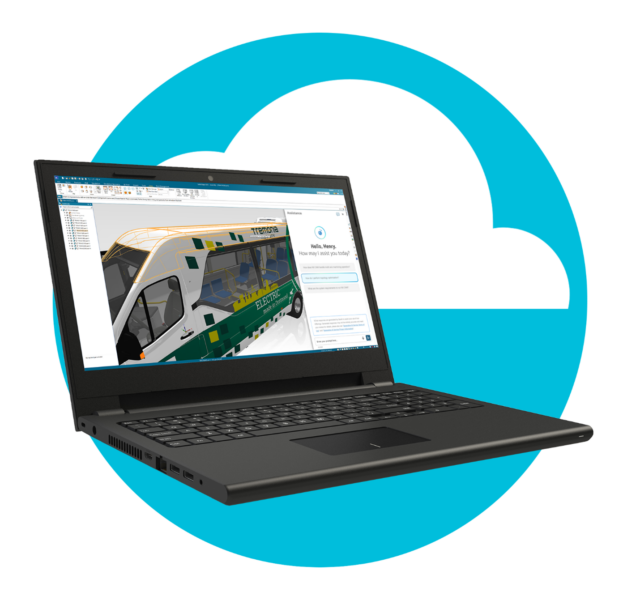
Solid Edge X is no lightweight CAD program, as its depiction with a laptop and the cloud (above) may suggest. But if you were hoping to use it on your iPad, take heart. Solid Edge X comes with Teamcenter Share, which lets you view and interact with your Solid Edge X models. It is lightweight so that you can use not only your iPad and iPhone. It can also be used on Chromebooks. More about Share later.

Solid Edge X is Solid Edge Plus

Solid Edge, being cloud-based, even if only for storage, offers a significant advantage over desktop CAD.

Storing models as files on the cloud allows multiple users to access the same model simultaneously. Allowing everyone to access a single file, rather than having to make, distribute and keep track of copies in circulation, yields incredible benefits.

  1. Commonly shared data, rather than different versions stored on users’ computers or in vaults, is a single source of truth. There is zero confusion about which version is the most up-to-date, and there are no questions about who has checked it out.
  2. Having a model on the cloud facilitates true collaborative design. Everyone is working on the same assembly. A designer in one location will instantly see changes another team member in another location has made to their part and how it might affect them, for example.
  3. Users can access their models from anywhere: the office, at home, during travel, etc. No more having to make copies of models and having to upload them to your computer when you return.

Teamcenter X, a subset of Teamcenter, brings PDM to Solid Edge X.

Siemens counts one more benefit of Solid Edge X: Teamcenter. Solid Edge X comes with built-in, cloud-based data management powered by Teamcenter X. It includes all the essential CAD data management capabilities like revision management, “where used” reports and release workflows.

Teamcenter X functions as the vault manager and is in control of CAD models stored in the cloud. It would cost $1,890/year.

Collaboration

We wondered why Solid Edge X chose not to go fully granular with its files, breaking them down files into bits of data and storing them in a database, a la Onshape.

“There may be some advantage of that,” acknowledges Staples. However, he finds that Windows groups data is sufficiently capable for his purpose and is able to provide real-time online collaboration.

When you license Solid Edge X, you also get Teamcenter Share. You can use Teamcenter Share to view and mark up models without having to have a Solid Edge license or even know how to use Solid Edge.

Users can send someone a message with a hyperlink to invite them to view a design or participate in a design session. If they click on the link and are a Solid Edge X user, they have access to your model as if it were their own – with your permission, of course. You can also give them view-only rights.

“We thought this would be most used by a company and its suppliers,” says Staples, “but we find that design teams are enjoying collaborating on a design this way.”

Teamcenter Share is more than just a view and markup tool. It can also do messaging, notifications and task management, complete with Kanban boards.

What About AI?

AI in Solid Edge X. We had hoped for more.

Siemens claims to be big on AI but has put little of it into Solid Edge X. The AI is in the form of a chatbot (like ChatGPT). You can ask it questions, and it can find information. It is a little more convenient to have a LLM (large language model) built into the CAD interface than having to flip to your browser and use ChatGPT. But frankly, we were expecting more.

Keeping It Simple

Keeping things simple is complicated. Solid Edge X may run on your computer like regular Solid Edge and stores its files on the cloud, all perfectly natural to digital natives, but a lot of work by the Staples team.

Even though Solid Edge runs on your computer, it still maintains a connection to Siemens servers. One reason is to make sure you are a legit user. Second, it can update the software automatically. Solid EdgeX will have its updates streamed and installed automatically. Siemens bills this as a benefit to users, which is when you consider the days when CAD updates were laborious and time-consuming. The license checking is, of course, a benefit to Siemens since it could effectively put an end to pirating, the bane of all desktop CAD vendors. So active is the CAD software black market, and in some parts of the world, if your CAD program has been purchased for full price, you are either in a big corporation or branded a fool.

Solid Edge X can work for some time without a connection. It does this by caching the model file locally and then synching the local file when changes are made. Should the connection be lost, the files are synced when they are restored. The Solid Edge does not miss a beat – precisely the way all good cloud-based programs should behave: Office 365, Google Docs, Apple Notes… Autodesk Fusion all work that way: using the cloud for storage but running locally, so the response is immediate and the user uninterrupted.

How long would Siemens tolerate a disconnect?

“We’re not going to cut anyone off,” says Staples.

Why Would Anyone Stay with Old Solid Edge?

We imagine all Solid Edge users eventually converting Solid Edge X – but then we wake up to the real world. Solid Edge X may present no barriers, such as a different UI or file structure that requires conversion, and have a raft of benefits (single source of truth, collaboration, no lost work when the power goes off…), but in the CAD world, no matter how advantageous a change, it is not guaranteed.

For traditional Solid Edge users, especially those who have bought perpetual licenses, traditional Solid Edge may be good enough. They have had to pay nothing or a small annual amount to get support and upgrades.

Others may have a strong aversion to anything online. Government agencies, defense contractors, and super secretive consumer companies may never allow their data to go beyond their walls.

How Much?

Solid Edge X is offered only on subscription. You cannot buy in perpetuity, as you could Solid Edge. It’s not cheap – and you shouldn’t expect it to be. Remember, Solid Edge X is no stripped-down, lightweight version of Solid Edge. It is the whole of Solid Edge plus more, so its price compared to other major mainstream MCAD programs is deserved.

U.S. pricing ranges from $3132 annually for Solid Edge X Standard, $3,744 annually for Solid Edge Advanced (which adds subdivision modeling), to $4,956 annually for Solid Edge Premium, which adds simulation, point-clouds and electrical routing.

It is far and away more expensive than either Onshape ($1,500 or $2,500 per year) or Fusion (which is as low as $545 per year but competitive with MCAD mainstream desktop products such as SOLIDWORKS and Autodesk’s Inventor, according to Staples.

Solid Edge the Siemens CAD of the Future?

Siemens is clearly positioning Solid Edge X as a critical part of its future CAD product strategy.

Two versions of the CAD program, being developed and maintained in parallel, is most uncommon, and we have to wonder how long Siemens will stay committed to old Solid Edge if we can call it that. Dan Staples says they will. It seems as if Siemens is prepared to wait for them to see the light and gravitate towards Solid Edge X for its intrinsic advantages – or even until they exit the workforce one way or another.

It’s a wise approach by seasoned CAD industry veterans. It may be a bother to keep two code streams running in parallel, but on the other hand, their users will not riot. Siemens may have learned from the upheavals SOLIDWORKS went through when their CEO announced SOLIDWORKS was going to the cloud – a move that had to be rolled back and a new CEO was installed. That was 2010. Let’s say a lot has changed. The cloud is a lot less scary today. Still, why not be cautious and patient?

Scenes from the COMSOL Conference, Part 1

Boston skyline

The COMSOL conference returns to Boston after a 5-year hiatus. Thanks, COVID.

Once again, I am delighted to be able to cover good products and companies with ENGtechnica. Here, we have COMSOL, arguably the first and best multiphysics simulation software. Ansys may claim to have multiphysics. Siemens, too. But both have bolted on the physics they didn’t initially have. For example, Ansys, a structural FEA program from the start, began calling themselves a multiphysics solution after acquiring Fluent, a CFD program. Sure, it was FEA + CFD. But COMSOL was multiphysics from the start. It’s in the name: COMSOL Multiphysics. And they’re still ahead of the pack.

Most of the presentations posted at the conference rely on COMSOL to go across the engineering disciplines, such as one on EV batteries, that involve electronics, chemistry, thermal and mechanical engineering.

COMSOL also distinguishes itself by letting you create apps. Here’s how it works. Suppose you have an oft-occurring situation that demands simulation. Say someone in the field needs to determine how long a truckload of apples can stay fresh. Stay with me here; this actually happened. The apple deterioration can be simulated with COMSOL Multiphysics, believe it or not. But where the simulation needs to happen, at the apple cart, so to speak, it is not practical to have a simulation-savvy engineer be present. Wouldn’t it be nice to have an app for this, to punch in the number of apples and where the apples are to be delivered and have the app do all the rest, have it sense prevailing conditions along the route and give you the number of days you’ve got. All the calculations are done in COMSOL Multiphysics, all of them under the hood. This is the Coldivate app, available in the Apple Store and for Android. Sure, it’s a niche, and there’s no telling how popular this is. Currently, there are no reviews on the Apple Store. But the point is…

You can package up a simulation for any case with an app that can be helpful for anyone, anywhere. COMSOL is to be commended for this. No COMSOL license is required to run the app. COMSOL gets no revenue from this. Their play is like Adobe with PDF. It costs money to create an Acrobat file, but everyone can read Acrobat files for free.

It’s genius. And not just because I attribute genius to those who agree with me.

Why Would Siemens Pay $10.6 Billion for Altair?

Siemens announced the acquisition of Altair Engineering Inc. Altair is one of the last independent simulation software companies. Expected to close late in 2025, it’s a $10.6 billion deal, one of the largest deals in the design and engineering software industry. Monetarily, it more than doubles what had been one of Siemens’ biggest deals in the design and engineering software industry to date: when they acquired Mentor Graphics (EDA software) for $4.5 billion in 2016. Topping all deals in this space is the $35 billion acquisition of Ansys, the biggest pure-simulation software company, by Synopsis, known previously as strictly an EDA company.

“Acquiring Altair marks a significant milestone for Siemens. This strategic investment aligns with our commitment to accelerate the digital and sustainability transformations of our customers by combining the real and digital worlds. The addition of Altair’s capabilities in simulation, high-performance computing, data science, and artificial intelligence together with Siemens Xcelerator will create the world’s most complete AI-powered design and simulation portfolio,” said Roland Busch, President and CEO of Siemens AG in the company issued a press release. “It is a logical next step: we have been building our leadership in industrial software for the last 15 years, most recently, democratizing the benefits of data and AI for entire industries.”

Chiming in was James Scapa, Altair’s founder and CEO, with:

“This acquisition represents the culmination of nearly 40 years in which Altair has grown from a startup in Detroit to a world-class software and technology company. We have added thousands of customers globally in manufacturing, life sciences, energy and financial services, and built an amazing workforce and innovative culture. We believe this combination of two strongly complementary leaders in the engineering software space brings together Altair’s broad portfolio in simulation, data science, and HPC with Siemens’ strong position in mechanical and EDA design. Siemens’ outstanding technology, strategic customer relationships, and honest, technical culture is an excellent fit for Altair to continue its journey driving innovation with computational intelligence.”

It is all to be expected, the playbook of all acquisitions. But let’s dig into this.

The Financials

Siemens is paying $113 per share, representing an 18.7% premium over Altair’s closing price on October 21, 2024.

To finance this acquisition, Siemens is considering reducing its stakes in Siemens Healthineers, Siemens Energy, and Fluence. Siemens CFO Ralf Thomas said at an analyst briefing that Siemens is comfortable with reducing its Healthineers stake by around 5% and plans to decrease its Siemens Energy shares within the next few months.

About half of the Altair acquisition could be financed by Siemens selling off Innomtics, a maker of electric motors and drives, which Siemens unloaded for $3.81 billion in early October of this year.

What Does Siemens Get Out of This?

While Altair may have been one of the last great independent simulation companies left standing, with $613 million in revenue for its previous full year, 2023, it was not exactly a gold mine. The company had lost $8.9 million the last fiscal year and $43 million the year before.

Gartner’s Magic Quadrant for Data Science and Machine Learning Platforms

Siemens would need to be able to expand its product portfolio with the Altair acquisition. Siemens already had Simcenter, a most robust platform able to analyze multiple modalities, AKA multiphysics, such as interactions between stress, fluids, heat transfer, vibration, electromagnetics and more. The Venn diagram of Altair’s simulation products and those of Siemens has almost complete overlap. In all fairness, Altair can argue that it pioneered generative design, which some could confuse with the runaway success of generative AI, like ChatGPT. But surely Siemens would not think what Altair does with shapes was the same as what ChatGPT does with language?

Altair had been calling itself a “computational intelligence” company. One of its non-simulation products was RapidMiner, an AI-enabled data analysis application. RapidMiner may have helped Altair ascend to Gartner’s Magic Quadrant (above), which, all by itself, could have generated great interest in Berlin (Siemens AG HQ). Siemens, a 150-year-old company looking to get into the white-hot AI market while still staying within the lanes of engineering software sector, may have seen Altair as an on-ramp on the AI expressway.

It’s likely that Siemens is acquiring customers by acquiring Altair. The Detroit-area Altair has products in local use at Ford, GM, and Chrysler, as well as automotive companies elsewhere, like Renault and Hyundai, plus in aerospace giant Airbus. Top-tier automotive and aerospace companies are coveted by design software companies. Every “replacement,” or software switch, is treated as a big deal, followed immediately by a press release and reminders at user conferences.

How else to explain how truly innovative design and engineering software companies are overlooked by the big ones? Here is nTop (formerly nTopology), the New York-based shape optimization company, the first to call itself a “computational design” company. Only hundreds of miles away is Budapest-based Shapr3D, which revolutionized CAD by running on an iPad and is beginning to take off with Windows.

Maybe we’re overthinking this. Maybe big kids just like to play with other big kids. Altair may have been losing money, but it was losing and making money like big kids do.

Jackpot

The deal is a jackpot for CEO James Scapa, who founded Altair in 1985 along with George Christ and Mark Kistner. The 67-year-old Scapa, born of Greek Holocaust survivors, started Altair after graduating from Columbia with mechanical engineering. His 24% share of Altair will net him $2.54 billion.
What’s Next?

Which of the simulation companies have still not been swallowed up? We can only think of ESI, COMSOL and SimScale. But how long will they last on their own? Stay tuned.

School Teaches Engineers Collaboration is Cheating. But In Industry, it is a Necessity.

In a world where technological and engineering advancements shape daily life, the importance of collaboration and effective communication among engineers is often overlooked. Renowned engineer and academic James Trevelyan (Professor Emeritus, University of Melbourne) and author (The Making of an Expert Engineer) offers fresh insights into how collaboration, communication, and a holistic approach to engineering practice hold the key to success in modern engineering. Trevelyan’s journey across diverse environments, from robotics and automation to on-the-ground work in challenging locales like Pakistan, has equipped him with a unique perspective on the industry’s challenges and the profound impact of soft skills on engineering success.

From Tinkering to a Trailblazing Career in Engineering

Trevelyan’s journey began with a fascination for mechanics. From his early years, he was captivated by taking things apart and understanding their inner workings. Engineering, he reflects, was not a deliberate career choice but rather an innate calling. His academic and professional career, however, revealed the many intersections between engineering, collaboration, and the cultural factors that shape them.

Unlike the isolated world of academia, Trevelyan’s dual experiences in academia and industry exposed him to the anti-collaborative tendencies prevalent in academic settings. Collaboration in academia, as Trevelyan noted, is often perceived as akin to cheating, where solo achievements are more valued than teamwork.

“One thing I’ve discovered is that academia tends to be an anti-collaborative environment. The most successful academics have often adapted to this culture,” he explained. This approach, however, is at odds with the reality of engineering, where collaboration often determines the success or failure of large-scale projects.

The Social Media Effect on Productivity and Communication

In an era dominated by instant messaging and social media, Trevelyan expressed concerns over the impact of digital communication on trust and teamwork. According to him, while texting and emails offer rapid communication, they often lack the nuance required for effective collaboration. “Text communication undermines trust and collaboration,” Trevelyan explained, alluding to studies from the 1950s that highlight the significance of face-to-face interaction. The reluctance of younger engineers to pick up the phone or meet in person, preferring emails instead, is a trend that he believes hampers effective collaboration.

He recounted an early experience where he was told to get feedback on a paper but he dreaded the thought of having to compile responses from 400 people. He emailed then all but put critical information in an attachment, knowing most would overlook it. The exercise demonstrated the lack of time people are willing to put into digital communication and how easily important messages get lost in the noise. Trevelyan emphasizes the need for engineers to develop communication skills that go beyond the digital realm to foster genuine collaboration.

Cultural Challenges in Engineering: Lessons from Pakistan

Trevelyan’s experiences in diverse cultural settings provided him with a deeper understanding of engineering’s social dimensions. His time in Pakistan, for example, highlighted how local customs and collaboration styles influence engineering outcomes. Pakistan’s inexpensive labor costs, he thought, could make certain projects more affordable there. However, he quickly realized that cultural and collaborative factors, such as a lack of transparent communication, resulted in higher costs and reduced efficiency. In Pakistan and similar settings, the reluctance to share information openly hampers collaborative efforts, often leading to subpar engineering results. Plus, there was rubbish everywhere, he says.

He observed that while engineers in Pakistan and India receive world-class education, they often struggle to replicate their success in their home countries due to the different cultural approaches to collaboration. Trevelyan advocates for teaching collaboration explicitly within engineering curricula, as opposed to merely assuming it will develop naturally through group work. His experiences underscore the need for engineers to adapt to cultural nuances, while emphasizing the universal necessity of open communication.

Collaboration as a Catalyst for Value Creation in Engineering

One of Trevelyan’s most compelling insights is his perspective on collaboration as a driver of value creation in engineering. Contrary to the common belief that communication skills are ‘soft’ and lack tangible impact, he argues that poor collaboration is a primary reason for the high failure rate of engineering projects.

“Poor collaboration is costly. Major projects fail 4 out of 6 times, and one in six loses all investor money,” he noted, citing examples where inadequate teamwork led to substantial financial losses. For instance, a nickel refinery project that cost $2.5 billion was ultimately sold for a fraction of its value due to collaboration failures.

Trevelyan believes that encouraging engineers to recognize the financial impact of collaboration could foster a more balanced approach in the profession. He points out that while technical skills remain critical, the ability to collaborate effectively is equally vital to project success. This message is particularly important in an industry that often prioritizes technical training over interpersonal skills, a gap Trevelyan believes companies should address through professional development programs focused on collaboration.

Communication Versus Collaboration: A Nuanced Distinction

In Trevelyan’s view, while communication is essential for collaboration, the latter requires a more in-depth skill set. Effective collaboration is rooted in active listening, a skill Trevelyan argues is not sufficiently emphasized in engineering education. Engineers spend approximately 25% of their time listening, he noted, yet few are trained in effective listening techniques.

He recalled suggesting that universities teach listening skills to engineering students, only to be met with surprise, as academics assumed students develop listening skills naturally from lectures. However, Trevelyan’s observations suggest otherwise, as students often forget most of what’s said in lectures within minutes. Trevelyan advocates for intentional training in listening and other collaborative skills, emphasizing that the ability to understand and synthesize verbal information is crucial in engineering.

The Business Case for Collaboration Training in Engineering

Despite the lack of emphasis on collaboration skills in many companies, Trevelyan argues that the financial returns on improved teamwork are substantial. Some Australian companies have begun investing in professional skills training for engineers, recognizing the need for effective collaboration alongside technical expertise. However, engineers often prioritize technical training, believing it to be more instrumental for career advancement. Trevelyan points out that while technical prowess remains important, companies that cultivate collaborative skills among their engineers tend to achieve better outcomes.

For engineers who lack access to formal training programs, Trevelyan recommends his books as resources for practical collaboration techniques. He highlights three core activities essential for engineering value: value creation, value delivery (where collaboration plays a critical role), and value protection. These principles, he believes, are central to successful engineering projects and can be the difference between a project’s success or failure.

Embracing Imperfection in Engineering Practice

One of Trevelyan’s more nuanced insights addresses the balance between perfectionism and pragmatism in engineering. While engineers often strive for flawless results, Trevelyan encourages a more pragmatic approach, focusing on value creation for clients. In his experience, clients who see tangible value are more likely to grant engineers the time and resources to achieve high-quality outcomes.

He illustrated this point with an anecdote about a project in Australia to develop robots for shearing sheep. Though the project did not result in a commercial product, it changed the industry by demonstrating that such a technology could exist, ultimately impacting shearers’ demands. This example underscores Trevelyan’s belief that engineers should focus on delivering value in ways that address clients’ needs, even if the initial outcome is not technically perfect.

Simple Solutions and Experiments: Speeding Up Engineering Processes

Trevelyan also advocates for simplicity in engineering solutions, sharing that simple experiments often yield valuable insights more efficiently than complex simulations. For instance, during the development of a prototype air conditioner, Trevelyan found that quick experiments provided more reliable data than computational simulations, leading to significant design improvements.

This hands-on approach not only saves time but also helps engineers understand the physical realities of their designs. Trevelyan recounts encouraging a young engineer to conduct simple experiments with thermocouples, enabling him to grasp complex temperature changes more intuitively. In Trevelyan’s view, simple, empirical experiments are an invaluable tool for learning and refining engineering practices.

Concluding Thoughts: The Future of Engineering in a Collaborative World

As engineering continues to evolve in an increasingly interconnected world, Trevelyan’s insights highlight the need for a renewed focus on collaboration and communication within the profession. His experiences emphasize that effective engineering goes beyond technical expertise; it involves understanding cultural contexts, mastering communication skills, and embracing collaboration as a cornerstone of project success.

In a profession that is often measured by technical output, Trevelyan’s message is a call to engineers to recognize the value of interpersonal skills, adaptability, and the simple power of collaboration. As the engineering landscape becomes more complex, his advice offers a blueprint for professionals looking to navigate and succeed in a field where both technical and soft skills are essential for lasting impact.

This article is based on an interview with Aaron Moncur for the Being An Engineer podcast.

OMNIVISION Rolls Out Machine Vision System at VISION 2024

OMNIVISION has announced that its camera system, including the OG02B10 global shutter sensor and OAX4000 image processor, has been blessed by NVIDIA and is available with NVIDIA’s Holoscan and Jetson platforms.

Together, the OG02B10 and OAX4000 are the eyes and brain, respectively, of machines that need to see, such as autonomous vehicles or humanoid robots, which can be used for navigation, object detection as well as interaction with humans. Having as much of the machine vision system on the spot or embedded is critically important to rapid response loops. You do not want either an autonomous vehicle or a robot to have to wait to get its instructions from a remote server in the cloud.

The OG02B10 color global shutter (GS) image sensor, with its 3x 3-micron pixel technology, delivers precise, high-quality images even in low light without producing blur or artifacts, according to the release.

The OAX4000 is an image signal processor (ISP) that can manage images from up to 4 cameras with a 140 dB high dynamic range (HDR), according to OMNIVISION. It can handle multiple vision sensors, which is what gives humanoid robots a spatial sense, just as your stereoscopic vision gives you depth perception.

NVIDIA Holoscan is the full-stack, an AI sensor processing platform that connects embedded systems to the edge and the cloud.

NVIDIA Jetson is a platform for edge AI and robotics.

OMNIVISION had the combined machine vision system on display at their booth at the VISION conference and exhibition, which was recently held at Messe Stuttgart in Germany.

Get Your Construction Schedule in the Pink with SmartPM

Meeting the grade. SmartPM’s dashboard is a mid-term report card of a project schedule. Image: SmartPM.

Meeting the grade. SmartPM’s dashboard is a mid-term report card of a project schedule. Image: SmartPM.

Michael Pink is a self-appointed schedule geek. He can look at a construction project that needs to catch up and, like Sherlock Holmes, know how and where it went off track. Better than Sherlock Holmes, Pink can bring the project back into shape.

We met Pink on the Autodesk University 2024 show floor, where he proceeded to demonstrate his prowess with SmartPM, a one-of-a-kind schedule analysis application.,

Pink has a history as a schedule fixer. He visited schedule-troubled projects for years for prominent consulting firms like KPMG  and Deloitte until it occurred to him that he could pour what he knew into a software program and have it do what he did – times a hundred!

Sure, there were project management apps out there, purpose-built for construction even (Newforma, for example), but construction scheduling still had a big blind spot, says Pink.

SmartPM cuts through the clutter of your project and the complexity of project management software by quickly analyzing your project’s timeliness and giving it a letter grade. Like the ASCE does for infrastructure types, SmartPM does for your project. And it does not try to please. It may be programmed to be like your strictest teacher, figuring you may not like to be getting a “C,” but you need to know that your schedule needs work. Think of it as a mid-term grade. You can still do better in the final. And SmartPM will tell you what you need to do.

What does SmartPM do?

SmartPM is a cloud-based construction schedule management software that transforms static project schedules into dynamic tools for real-time analysis. It automates key aspects of project controls, including delay analysis and performance tracking. SmartPM helps construction teams identify potential risks early by analyzing scheduling data and providing actionable insights through intuitive dashboards. This software excels in monitoring project timelines, forecasting potential delays, and ensuring schedules align with real-world progress.

By utilizing advanced algorithms, SmartPM offers predictive analytics and automated reports, allowing stakeholders to make data-driven decisions, reduce risks, and maintain project efficiency. Its real-time schedule analytics keep all team members informed, ensuring transparency and improved collaboration. The platform is of particular value for turning complex schedule data into understandable metrics, aiding contractors, developers, and project managers in mitigating delays and budget overruns.

How does SmartPM do it exactly?

SmartPM uses advanced data analytics and automation to provide insights into project schedules. Here’s how it works:

  1. Schedule Data Integration: SmartPM integrates with standard construction scheduling software like Primavera P6 and Microsoft Project. Users upload their project schedules, and SmartPM processes the data to track and monitor progress in real time.
  2. Automated Analysis: The platform applies algorithms to identify risks, inefficiencies, and potential delays in the project timeline. It uses critical path analysis, float analysis, and baseline comparisons to detect where projects are falling behind or facing risks.
  3. Delay and Risk Detection: SmartPM automatically detects delays by comparing the planned schedule with the actual progress. It analyzes impacts on critical activities and provides predictive insights on how these delays might affect the overall project.
  4. Visual Dashboards and Reports: The software translates complex scheduling data into easy-to-understand visual reports and dashboards. These reports allow project managers to see trends, pinpoint issues, and make informed decisions quickly.
  5. Aids Collaboration. SmartPM’s cloud-based system allows for real-time collaboration between all stakeholders. This ensures that everyone is on the same page regarding project progress, risks, and necessary adjustments,

By automating much of the heavy lifting in schedule management and making data actionable, SmartPM helps construction teams stay on track and avoid costly overruns.

What sort of firm or job role would use SmartPM, and when would it be used in terms of the total project timeline?

SmartPM is typically used by construction professionals and firms involved in large, complex projects. Key users include:

1. General contractors and construction managers can use SmartPM to ensure projects are on track by continuously monitoring schedule progress, identifying delays, and proactively mitigating risks. Contractors often use it to manage large portfolios of projects, where real-time oversight is crucial.

2. Developers can use SmartPM to drill down to detailed information about the causes of delays in their projects. Owners can use it to track overall project health and hold contractors accountable for delays or slip-ups.

3. Project managers and schedulers can use SmartPM to dig deep into scheduling data, perform delay analysis, monitor critical milestones, and provide regular updates to stakeholders. They utilize SmartPM from the planning phase through to project completion, especially during execution, when real-time adjustments are crucial.

SmartPM is valuable throughout the entire project timeline but becomes particularly critical during execution and construction phases, where its ability to detect and resolve issues in real-time can prevent project delays and cost overruns.

How is SmartPM implemented?

SmartPM implementation is designed to be user-friendly and straightforward, but it does involve several steps to ensure optimal use.

Data Input: The first step in implementation is uploading existing project schedules from software like Primavera P6 or Microsoft Project. It only takes minutes for users to upload their schedules into SmartPM, depending on the size of the project file. Once uploaded, SmartPM automatically processes the data and begins generating insights and reports.

Training. This is critical for users to utilize SmartPM’s capabilities fully. Typically, companies receive initial training sessions from SmartPM experts, which include demonstrations and guidance on how to navigate the platform, use its analytics tools, and generate reports. Most users find the interface intuitive but depending on the size and complexity of the team, it might take a few days to a week for teams to get comfortable with all the platform’s features.

Support: SmartPM provides ongoing support after implementation. Users benefit from long-term support, including access to a client success team and technical support. Support is available throughout the lifetime of the license agreement, ensuring that any issues or questions are addressed and updates are implemented.

How Did SmartPM Get Started?

Only you – with SmartPM – can prevent schedule drift. Michael Pink, CEO and founder of SmartPM. Image: LinkedIn

After the light bulb turned on for Mike Pink, he immediately offered it to his employer. The consulting firm he was working for was less than thrilled at the idea of Pink’s software putting them out of work. Makes sense. Who would pay $400-$500 per hour if you have an app to do the same thing for about the same per month?

Pink would not let the idea go. He quit to pursue the idea on his own in 2012, consulting by day to pay the bills and developing SmartPM on nights and weekends. He got lucky to find  “a truly great programmer.” This led to an early-stage funding of $500K in 2019, followed by Series A funding rounds.

Leading the funding rounds is Building Ventures, from which one of the partners, Allen Preger, a co-founder of NewForma, is present.

“They get construction,” says Pink, ever so thankful for not having to face VCs that can’t spell AEC – at least until the next round.

Astronauts Splash Down After Extended Stay on ISS

NASA SpaceX Crew-8 mission astronauts returned astronauts to Earth after an extraordinarily long seven-month expedition on the International Space Station (ISS). They was to be up there for 6 months. Some astronauts remain on the ISS, including Sunita (Suni) Williams, who has already been in space for well over a year (466 days on the day of this writing). Her return trip is scheduled for February 2025.

Their return was delayed primarily due to issues with Boeing’s Starliner spacecraft. In all fairness, the weather may have played some part, but this is a site about technology, not weather.

Problems with Starliner’s failure to launch caused NASA to lose faith in Boeing and the U.S. space agency called on SpaceX for a lifeboat, adding to Boeing’s mounting and continuing woes (more on that later).

SpaceX to the Rescue

The ISS  from the SpaceX Crew Dragon, the spacecraft called upon to bring the astronauts home after NASA lost faith in Boeing’s Starliner.

Boeing’s Starliner, originally picked to support crew transportation as an alternative to SpaceX’s Crew Dragon Endeavor, encountered multiple issues, including thruster malfunctions and delays in uncrewed and crewed test flights. After these setbacks, NASA has designated Crew Dragon Endeavour as the primary return vehicle for the ISS.

Crew Dragon Endeavour was able to bring the astronauts back to Earth safely, with a splashdown near Pensacola, Florida. It was yet another success for SpaceX.Saved by SpaceX were all of the NASA SpaceX Crew-8 mission listed below.

Waiting for the astronauts to emerge from the capsule was a nail-biter. But eventually, one after another was carried out on a stretcher. Perfectly normal after so long in space, say the NASA commentators.

Breaking: One of the astronauts returning last Friday has been hospitalized. Their name and condition are not known at the time of this writing.

NASA’s SpaceX Crew-8 makes a safe splashdown, shown in the infrared image. Image from NASA video.

Ready to kiss the deck of the rescue ship were:

  • Matthew Dominick (NASA), a mission specialist focused on supporting scientific experiments and overseeing technical operations aboard the ISS.
  • Michael Barratt (NASA), a veteran astronaut and physician, Barratt contributed his expertise in medical and life sciences research conducted in microgravity.
  • Jeanette Epps (NASA) – Known for her background in aerospace engineering, Epps played a key role in implementing ISS National Lab experiments and technology tests.
  • Alexander Grebenkin (Roscosmos) – Representing Russia’s space agency, Grebenkin assisted with international collaboration efforts and conducted research on behalf of Roscosmos.

The Mission

The mission was to conduct diverse research aimed at advancing science and technology in low Earth orbit (LEO). During their time on the ISS, the crew supported a wide range of experiments funded by the ISS National Laboratory, with applications spanning medical research, biotechnology, and agricultural science.

The crew worked on groundbreaking studies in in-space production and biomanufacturing, including a project by Cedars-Sinai to develop methods for growing stem cells in microgravity. The goal is to eventually enable large-scale biomanufacturing for treatments addressing heart disease, neurodegenerative conditions, and other diseases.

Another study, led by Redwire and Eli Lilly, explored the crystallization of organic molecules in space, which could lead to more effective pharmaceuticals.

Cancer Detection Technology: Another significant project involved the University of Notre Dame‘s development of ultra-sensitive biosensors capable of detecting early cancer biomarkers. The biosensors were tested in microgravity to refine their sensitivity, potentially improving early cancer diagnostics.

The mission also tested Sphere Entertainment’s Big Sky camera for high-resolution imaging in microgravity and conducted agricultural research on the growth of Arabidopsis plants in varied orbital altitudes to inform crop production strategies for space missions.

Losing Interest

NASA no longer sends its rockets to the International Space Station. The U.S. government agency, once the pride of the American engineering community, has shifted towards partnerships with private enterprises.

It started in 2011 when NASA retired the Space Shuttle program, the primary means of ferrying astronauts and cargo to the ISS. To maintain access to the station, NASA established the Commercial Crew Program (CCP), contracting private companies like SpaceX and Boeing to develop and operate rockets for ISS missions. This partnership was ostensibly to enable NASA to focus its resources on deep space exploration while relying on private enterprise for low-Earth orbit missions.

However, abandoning the ISS and LOE in general is more due to NASA’s budget, which has withered to just 0.5% of the national budget, a far cry from the 4.5% of its heyday. Granted, NASA’s budget may have grown with recent appropriations, reaching $25 billion, but its percentage of the total U.S. budget is still much smaller than in the 1960s with the Apollo program. That was NASA at its proudest. It may have been driven in large part by Cold War pressures and the race to land a man on the Moon, but it marks the pinnacle of engineering. However, with the race to the Moon over and the Cold War won, public interest in space exploration decreased. NASA’s budget decreased, stabilizing at around 1% by the 1970s and dropping further over subsequent decades.

NASA claims contracting private companies has saved billions of dollars. But at what cost for NASA in terms of image?

Boeing in a Tailspin

The Starliner spacecraft, part of Boeing’s initiative to support crew transportation as an alternative to SpaceX’s Crew Dragon, encountered multiple issues, including thruster malfunctions and delays in uncrewed and crewed test flights. These setbacks meant that Starliner was unavailable to bring the Crew-8 astronauts home, leaving SpaceX’s Crew Dragon Endeavour as the primary return vehicle. Additionally, poor weather conditions around splashdown zones in Florida further postponed the Crew-8 return, with hurricanes and storms in the area making safe reentry challenging.

Ultimately, Crew Dragon Endeavour brought the astronauts back to Earth safely, with a splashdown near Pensacola, Florida. This marked yet another successful recovery for SpaceX, underscoring its reliability amid challenges with the Starliner program.

SpaceX was quick to take advantage. While SpaceX was initially conceived to go to Mars, the company seized on the opportunities in low Earth orbit. Its Starlink satellite system is the biggest in the world. NASA is the biggest private company’s customer.

Boeing has experienced several notable setbacks in recent years:

737 MAX Crisis (2018-2020): Boeing’s 737 MAX aircraft were grounded worldwide after two fatal crashes attributed to issues with the Maneuvering Characteristics Augmentation System (MCAS), resulting in 346 deaths. This crisis led to lawsuits, regulatory investigations, and significant financial losses for Boeing.

787 Dreamliner Production Halt (2021): Production of the Boeing 787 Dreamliner was temporarily halted due to quality control issues, including problems with the aircraft’s fuselage. This interruption impacted delivery schedules and Boeing’s financial outlook, adding to the company’s list of costly challenges.

A machinist strike, which halted production on some of Boeing’s best-selling aircraft, is one of the most pressing issues, reportedly costing the company close to $1 billion monthly. With its reputation impacted by delays and a history of safety concerns, Boeing’s financial outlook remains cautious, and credit rating agencies have hinted at potential downgrades, which could increase future borrowing costs. The company’s recent measures reflect its attempt to stabilize financially while addressing production and labor challenges that have impacted delivery schedules and operational plans this year.

Recently, Boeing has faced significant financial and operational challenges, leading it to secure a substantial $10 billion emergency credit line from a consortium of major U.S. banks. This funding was due to the factors listed above and delays with key projects like the 777X airliner. Additionally, Boeing indicated it may need to raise as much as $25 billion through stock or debt offerings to maintain liquidity as it tackles these setbacks.

The International Space Station

The ISS National Laboratory is a unique public research facility aboard the International Space Station that offers scientists and organizations a chance to conduct experiments and develop technologies that aren’t possible on Earth. By harnessing the microgravity environment, the lab supports research aimed at enhancing life on Earth, cultivating viable business models for space-based industries, and building science skills in upcoming generations. Managed by the nonprofit Center for the Advancement of Science in Space (CASIS) under a NASA agreement, the ISS National Lab is open to U.S. government agencies, universities, and private companies for projects across fields like life sciences, materials, and technology. Through this platform, the lab fosters a sustainable, expanding market in low Earth orbit and opens new possibilities for innovation from space to Earth.

Find out more about the ISS  here.

Altium to Introduce Discover, Develop and Lifecycle at Electronica 2024

Altium will unveil three applications at the upcoming Electronica 2024 trade fair in Munich.

Altium Discover: a digital marketplace from which electronics and electrical designers can select components. Discover is a cloud-based platform meant to be a collaborative ecosystem for the electronics supply chain, connecting semiconductor manufacturers, distributors, and developers. It will have real-time collaboration, persistent context, and transparent digital rights management. According to Altium, this should assist in reducing supply chain issues.

Altium Develop: For small and medium-sized businesses (SMBs), Altium Develop combines electronics, mechanical, and software design into a single workflow. It sounds like Autodesk Fusion, though we expect it to emphasize the EDA aspect of electromechanical design.

Altium Lifecycle: Altium Lifecycle offers comprehensive lifecycle control with compliance and audit trail features, ensuring reliable management across the product’s journey. It addresses regulatory needs and reinforces reliability throughout the product lifecycle, making it an ideal solution for enterprises focused on precision. It is meant for large enterprises that want to evaluate the environmental cost of their products or are being forced to do so.

Electronica

Electronica is one of the world’s largest trade fairs for the electronics industry, held biennially at the Messe München convention center in Munich, Germany. This year’s event will run from November 12-15, 2024. It is expected to draw approximately 70,000 attendees from around the world and has over 2,800 exhibitors. Expect every major electronic product company to be, as well as thousands who supply them, from semiconductors to advanced systems and applications, including Cadence Design Systems, Zuken, and Siemens EDA. See the exhibitor list.

Altium

Altium, headquartered in La Jolla, California, is a leading EDA provider in the electronics design industry, mainly known for its flagship product, Altium Designer, and the Altium 365 cloud platform. These tools are widely used for printed circuit board (PCB) design, serving sectors like automotive, medical, aerospace, and telecommunications. Altium has solidified its position in the market by providing a comprehensive ecosystem that integrates design, component sourcing, and lifecycle management in the cloud, making it one of the most prominent players in this domain.

Altium’s annual revenue in fiscal year 2023 was approximately $263 million, reflecting its growth as more companies adopt digital and cloud-based PCB design tools. The company also reported a significant portion of this revenue as recurring, driven by solid demand for subscription-based access to its software, supporting Altium’s growth trajectory in the global PCB design and electronics market.

Top Ten New Features in Solid Edge 2025

Tremonia, a minibus manufacturer in Dortmund, Germany, was Siemens’ featured customer during the Solid Edge2025 rollout.

Solid Edge 2025 was introduced this week. Here are the most important enhancements.

1. Get Loaded Faster

Teamcenter-managed assemblies, such as the Tremonia electric minibus featured throughout the rollout (shown above), now open up to 50% faster in Solid Edge 2025, significantly saving time for users working with large datasets. This enhancement also allows for incremental loading, meaning users can start working on assemblies while they continue to load in the background.

2. A Better Bend

Solid Edge2025 can read bend allowances from spreadsheets.

Solid Edge is always good with sheet metal, and it gets even better with the 2025 version, with improvements in the ways bends are calculated. Custom bend allowances can now be read from Excel spreadsheets.

The Inquire Elements command has also been updated to support bend calculations, giving users detailed information about bend properties and calculation methods.

Edge 2025 adds new bend and edge features. Bend deduction and bend allowance calculations can now be customized, allowing users to select the most appropriate calculation methods for their designs. These options help ensure that sheet metal parts have greater fidelity to the digital model.

The wrap sketch feature has also been enhanced, making it easier to create precise etches across bends, further improving the translation of digital designs to physical sheet metal parts.

3. Quick Pattern Tool

A new Quick Pattern feature enhances Synchronous patterning capabilities in ordered modeling. This tool allows users to create patterns without needing to add extra sketches, making the process faster and more intuitive

4. Hybrid Annotation Workflow for Model-Based Design

The hybrid annotation feature is a new, all-in-one workflow for placing dimensions and feature control frames on designs. This enhancement simplifies the process of applying annotations by combining multiple steps into a single workflow. Users can also add supplementary text to feature control frames, with multi-line support and full preview capabilities, making it easier to create comprehensive and detailed annotations for model-based definitions.

5. Simplified User Interface

New users would put a new UI first in any list of enhancements. Veteran users, for whom the software is easy to use because they know how to use it, would put it last. So, the fixth is a compromise.

Solid Edge 2025 really cleaned up its user interface to try to make it more intuitive and less cluttered. The command bar has been reworked to allow customization, enabling users to keep frequently used tools within easy reach. The new interface also includes larger icons and better organization, making it easier to navigate and operate the software. The vertical command bar can now be minimized or resized to maximize screen space, increasing the space to view the model.

No doubt, these UI enhancements will improve productivity even for veteran users – once they stop grumbling. They are sure to ease the onboarding of new users who can be intimidated by complex UIs.

6. Style Picker and Face Style Overrides 

Solid Edge 2025 introduces a new style picker tool, allowing users to drag and drop face styles directly from a materials palette or copy the style from somewhere else on the assembly using a style picker.

7. Synchronous Copy and Paste Enhancements 

Copying and pasting in Synchronous Mode has been streamlined, eliminating the need to select specific faces during the process. This enhancement simplifies the design of parts with recurring features. By automating aspects of the copy-paste workflow, Solid Edge 2025 allows users to replicate design elements faster.

8. Improved Bill of Materials (BOM) View 

The BOM view in Solid Edge 2025 has been enhanced to offer a more organized and efficient structure within the sheet. Users can now easily consolidate duplicate parts and simplify their view, making it faster to locate and manage components within assemblies and providing a cleaner and more structured overview of large projects, mainly when working with numerous parts and assemblies.

9. Model-Based Definition (MBD) Enhancements

Solid Edge 2025 offers additional flexibility for Model-Based Definition (MBD), allowing users to annotate models more efficiently. The new hybrid annotation workflow combines dimensions and feature control frames in a single, streamlined process. Surface texture symbols have also been updated to comply with the latest ISO standards, ensuring that MBD annotations meet industry requirements. These enhancements make it easier for users to provide explicit, standard-compliant annotations that can be used in downstream processes, such as manufacturing and inspection.

10. Auto Dimensioning Improvements 

The auto-dimensioning capabilities in Solid Edge 2025 have been expanded to include virtual intersections and fillet center points, providing more flexibility for dimensioning complex parts. Additionally, parts can now be dimensioned relative to reference planes.

Honorable Mention: Discovery Center

The Discovery Center is a fully embedded resource hub in Solid Edge 2025, offering access to tutorials, trials, documentation, community resources, and more, and aims to make it t easier for users to discover and take advantage of new features, plus learn new skills and access support materials. Instead of having a separate application with help documentation, the Discovery Center is integrated into Solid Edge.

Honorable Mention: Value-Based Licensing

Solid Edge 2025 introduces a flexible, token-based licensing model that allows SE users to access a growing library of useful tools, such as machine libraries, piping libraries and CAD translators.

FRAMECAD Launches Nexa for Cold-Formed Steel Framing Projects

Cold-formed steel (CFS) members, formed out of sheet metal, CFS, have better strength-to-weight ratios than conventional steel and wood structural members. Image from FRAMECAD video.

FRAMECAD, a maker of steel-forming machines and software for the manufacture and implementation of cold-formed steel (CFS) structural members, has introduced Nexa, a “production management platform” for building projects made using CFS.

Nexa is meant for any company that builds with CFS, from panelizers (those that make panels, such as walls, floor, or roof panels for modules) to builders that build whole pre-fab modules.

Nexa will import a CAD or BIM model and take over from there, controlling how the CFS members are formed out of stock, a roll of steel, how they are assembled, showing each member in all its detail, and following through to its assembly on site. Throughout it all, a dashboard view tracks the project, showing progress, including percent completed.

Why Use Structural Parts Made From Sheet Metal?

Sheet metal may seem an unlikely choice for buildings. They are accustomed to thick, heavy structural members. Still, with the correct shape and sufficient support to prevent buckling, they can be highly efficient structurally, with strength-to-weight ratios better than wood and conventional structural steel, AKA hot-rolled steel, such as I-beams. Such structural efficiency, as well as lower cost, make them the first choice in certain types of construction, particularly modular construction, but increasingly in low-rise and mid-rise buildings. It also helps that they can be cut faster than hot rolled steel and more precisely than wood. Their light weight makes them easy to move around during manure and construction, as opposed to weighty I-beams and timber beams that require cranes to lift and position.

FRAMECAD also sells CFS machines that take rolls of steel and convert them to structural steel shapes. Image FRAMECAD.

Provide real-time data for capacity planning and inventory management. Nexa can track materials and ensure compliance with regulations while maintaining traceability for both materials and processes.

Project Management: Nexa users get real-time visual updates on project project progress. Centralized data access, AKA a single source of truth, enables all stakeholders, from factory teams to field workers, to collaborate more effectively and speed up workflows. Real-time dashboards show easy-to-read gauges for how much of a building has been built.

Nexa also helps with logistics and optimizes stacking, packing, and delivery coordination.

What is Cold-Formed Steel?

Commercially available cold-formed steel (CFS) shapes. Image: ResearchGate paper by Perampalam Gatheeshgar.

Cold-formed steel framing (CFS) refers to a construction technique where thin sheets of steel, shaped by rolling or pressing at room temperature, are used to create structural elements within walls, floors, roofs, etc.

Forming sheet metal into structural shapes has the apparent advantage of being lighter than both solid wood members or hot-rolled steel – but must be designed to overcome the sheet metal’s tendency to buckle under compressive loads, much less likely in thick, heavy shapes. This requires additional design considerations and often more bracing or stiffening.

Compared to wood, CFS can be seen as preserving trees and natural resources. And it doesn’t rot or is prone to pests like termites. It can be cut more precisely and hold its shape, while wood has “movement” and will warp, shrink, and expand. Being non-isotropic, it is never the same way in all directions. Steel is much better behaved. It’s no wonder engineers prefer steel over most other materials.

So Why Are We Still Using Wood?

With all of wood’s disadvantages, why use it all the time for residential construction? Oh, yeah. It is, or was, plentiful. This convenience of plenty built entire cities of wood, like San Francisco made from California redwoods. The city burnt to the ground in the 1906 earthquake as the wooden building with wooden roofs was only too quick to ignite.

However, in commercial building design and construction, architects and engineers need to be aware that by its nature, CFS weakens more quickly than hot-rolled steel in fires. Its thinness makes it harder to weld and gives corrosion a better shot at weakening the whole member. You must also compensate for its thermal conductivity, which is practically a thermal short circuit, while wood is an effective insulator. Also, if you think your next motel walls are thin, it’s more likely the fault of CFS, which transmits vibration (sound) better than wood.

So look for more cold-formed steel in buildings as modular construction becomes more popular, though not discovered by homeowners until their stud finder can’t find studs and their screws don’t penetrate. But if you see it on a bridges, don’t cross. If you hear about it in a high rise, don’t get the condo.

0FansLike
0FollowersFollow
0SubscribersSubscribe
Google search engine

Recent Articles

Trending Now